An offline video player has one job: play the files already on your phone without caring whether there is a signal. Most people go looking for one just after they start saving videos for a commute, a flight or a data cap — and then find that the real problem is not playback, it is the juggling. One app saves the file, a file manager finds it, a second app plays it. This guide sets out what actually matters in an offline player on Android in 2026, then makes the case for closing that gap with a downloader that includes a real player. That downloader is Kite: Video Downloader — our app — so read the verdicts here as our honest, sourced case rather than a neutral review.
What actually matters in an offline player
Player listings advertise long feature grids. Offline, a handful of things decide whether an app helps or annoys. This is the short list worth checking before anything else.
Files in a folder you can see
Playback starts with finding the file. A good setup stores video in the phone’s standard media storage — a folder that gallery and file manager apps can see — rather than in a private cache inside one app. Files in the open stay yours: you can move them, copy them off the phone, or open them in a different player next year. If a video exists only inside one app’s private storage, your library belongs to that app rather than to you.
Gestures instead of menus
Offline watching is usually one-handed: a bus seat, a treadmill, a kitchen counter. Swiping to change brightness and volume, dragging to seek, and holding the screen for double speed beat digging through a settings sheet mid-video. Small skips matter too. A ±10 second jump gets you back to the sentence you missed without overshooting.
Picture-in-picture
Picture-in-picture shrinks the video into a small floating window that keeps playing while you answer a message or check a map. On a phone it is the difference between pausing every time life interrupts and simply carrying on. Shortlist only players that support it.
A queue, not a single file
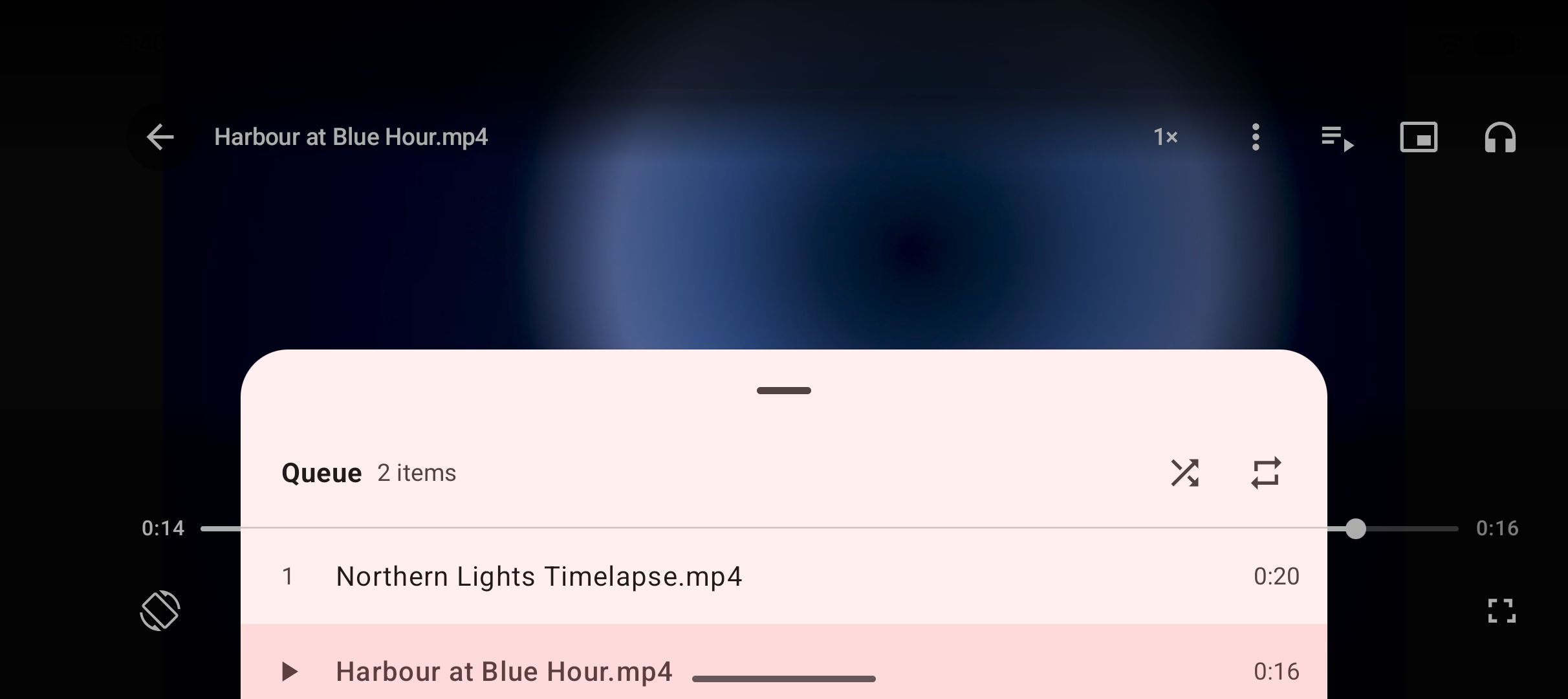
One video rarely travels alone. A tutorial series, a batch of clips saved from one page, a folder of recorded talks — the next item should line up without a trip back to the file list. A visible queue you can jump around in matters most when files arrive in batches.
Audio that survives the screen turning off
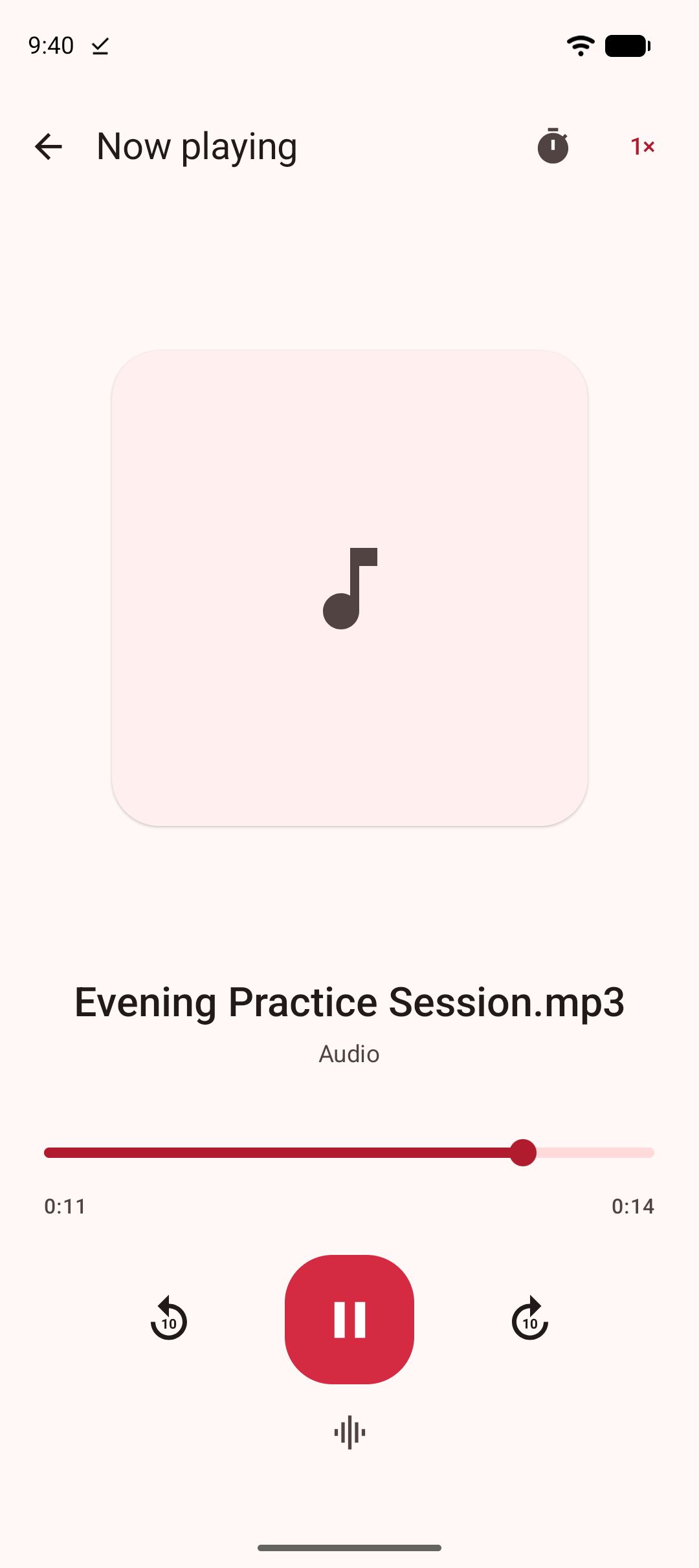
Plenty of saved media is really listening material: interviews, talks, podcast-style shows. If the sound stops the moment the display sleeps, the player is wrong for that job. Look for playback that continues with the screen off, with controls on the lock screen and over Bluetooth. The tidiest route is converting a saved video to MP3 first — our guide to turning saved videos into MP3s covers how.
No account, no cloud
Offline is a privacy statement as much as a convenience. A local player has no reason to demand a sign-up and no reason to send a list of what you watch anywhere. Prefer apps that run with no account and keep files, history and settings on the device.
The two-app problem
Search results for offline players assume you already have the files. Getting them is the harder half. The usual workflow goes: save a video with one app, open a file manager to work out where it landed, then hand the file to a second app to play. Each handoff adds friction.
- The saving app and the playing app disagree about folders, so new files do not appear where you look first.
- The player has no idea the files belong together, so a series plays in whatever order the filenames sort.
- Titles get lost in the gap; a talk you saved carefully shows up as something like VID_1023.mp4.
- Small jobs — renaming, deleting, moving a file somewhere private — mean another round trip through the file manager.
None of this is one app’s fault. It is the seam between two apps that were never designed to meet. The fix is plain once you say it out loud: the app that saves a file should also play it properly — not with a token preview screen, but with the gestures, queue, picture-in-picture and background audio a real player has.
Where Kite: Video Downloader fits
Kite closes that seam by being both halves of the workflow. It is a downloader first. Paste a link and Kite works out what is on the page, then lists every resolution the source offers — SD up to 4K, with container, codec and estimated size — or pulls the audio out as an MP3 with title and artist metadata embedded. It recognises media pages from TikTok, Instagram, X (formerly Twitter), Reddit, Facebook, Vimeo, Twitch and Pinterest, plus a thousand or so other sites, and its built-in browser spots playable media on pages you visit and offers to save it. Downloads run up to three at once, keep running in the background, survive closing the app, and can be paused, resumed, scheduled or held back for Wi-Fi. A playlist link is expanded and offered item by item, subtitles can be embedded into the file at save time, and a trim range saves just the part you want. How Kite stacks up against other saving tools is a separate piece — see our roundup of Android video downloader apps.
What matters for this article is the moment after a download finishes. The file lands in a Kite folder inside the phone’s Download folder, visible to gallery and file manager apps, and appears in Kite’s library — which also lists the video and music already on the phone, grouped by folder and searchable. Tap the file and it plays in place, in a player built like a player: swipe gestures for brightness, volume and seeking; hold the screen for double speed; ±10 second skips; picture-in-picture; and a queue of the videos saved alongside, so batches play in order without a trip to the file list. Saved MP3s keep playing with the screen off, with controls on the lock screen, in the notification shade and over Bluetooth — and an already-saved video can be converted to MP3 later, for the recording that turns out to be listening material.
The player has grown since this roundup first ran. Its menu can repeat a section of a video, from a point A to a point B, and lock the screen, so stray taps and swipes from small hands or a pocket do nothing and Back no longer leaves the video; our guide to locking the screen while a video plays sets that beside Android’s own app pinning. Two fingers pinch to zoom in on the picture and pan around it, and a zoom released close to fitting or filling the screen settles there. On the audio side, an equaliser with bass boost, surround and saved presets shapes MP3s and videos played as audio, and our guide to boosting bass on Android explains why those effects work best with headphones.
Files you would rather keep out of the gallery can move to the Private Vault: PIN-locked, encrypted, hidden from the gallery, and kept on this device only. We compare that approach with dedicated hiding apps in our guide to private video vaults on Android.
The honest scope: Kite’s player is built for the media you save with Kite and the media already on your phone. It is not pitched as a specialist for unusual formats, and we make no claims beyond what is listed here. Two boundaries are deliberate. Kite deliberately excludes certain large video and music platforms that Google Play policy does not allow downloader apps to touch. And Kite does not bypass copy protection of any kind: material protected by DRM is declined rather than downloaded.
Practicalities: Kite is on Google Play, runs on Android 7.0 and newer, needs no account or sign-up, and is free — supported by ads (banner and the occasional interstitial) rather than a subscription.
The players people already use
Two names dominate most conversations about Android video playback: VLC and MX Player, the long-established general-purpose players. We have not tested either for this article, so we make no feature claims about them. The pattern they serve is real, though. A general-purpose player earns its place when your videos come from many directions — copied across from a computer, recorded on the phone, collected over years in a mix of formats. It is one app pointed at your whole library, with no interest in how the files arrived.
The trade-off is the seam described above. A general player brings no downloader, so pairing one with a saving tool means living with the handoff. Plenty of people do, quite happily. The question is only whether the handoff is a price you want to keep paying.
Side by side: one app or two
The table compares the combined approach with the split one. The right-hand column stays deliberately general: capable third-party players exist, some will match several rows, and we have not verified named apps here. The point is the number of moving parts.
| What you need | Kite | A separate player app |
|---|---|---|
| Getting the file | Saved by the same app; appears in the library straight away | Downloaded elsewhere, then found by hand |
| Playback controls | Swipe gestures, hold for double speed, ±10 second skips | Depends on the player you pick |
| Picture-in-picture | Built in | Depends on the player |
| Playing a batch in order | Queue of the videos saved alongside | Depends on how it reads folders |
| Practising one passage | Repeat a section, from A to B | Depends on the player |
| Zooming in on the picture | Pinch to zoom and pan, settles on fit or fill | Depends on the player |
| Listening with the screen off | Saved MP3s keep playing, lock-screen controls | Depends on the player |
| Shaping the sound | Equaliser, bass boost and surround for audio | Depends on the player |
| Keeping some files private | PIN-locked, encrypted Private Vault built in | Outside a player’s job; another app again |
With two apps, each “depends” is research you do and a settings screen you configure. With one, the answer ships in the same install as the downloader.
Bottom line
If your offline library is built by saving links — clips for a journey, tutorials for a course, talks for the gym — a downloader with a real player removes a whole app from the routine. The file arrives, lands in a visible folder, and plays in place with gestures, a queue, picture-in-picture and screen-off audio. That is the case for Kite, stated plainly.
If your library predates all of this, or grows from many sources at once, a general-purpose player still earns its keep — and because Kite stores files in a normal, visible folder, both can sit on the same phone and open the same files. Nothing about the combined approach locks your library in.
Whichever you choose, treat saving as a tool for personal use: save what you own or have permission to save, respect the terms of the sites you visit, and respect the rights of the people who made what you are watching.