Kite: Video Downloader
Paste a link.
Download the video.
Video downloader and player. Save clips and MP3s, then watch them offline.
For Android 7.0 and newer. No account, no sign-up, no subscription.

Works with
Kite handles media pages from TikTok, Instagram, X, Reddit, Facebook, Vimeo, Twitch and Pinterest, and a thousand or so other sites its extraction engine recognises. It saves the stream the page plays — on TikTok, usually without the watermark. Paste a link, or open the page in Kite’s browser, and it will tell you what it can save.
How it works
Three steps, from link to file
 1
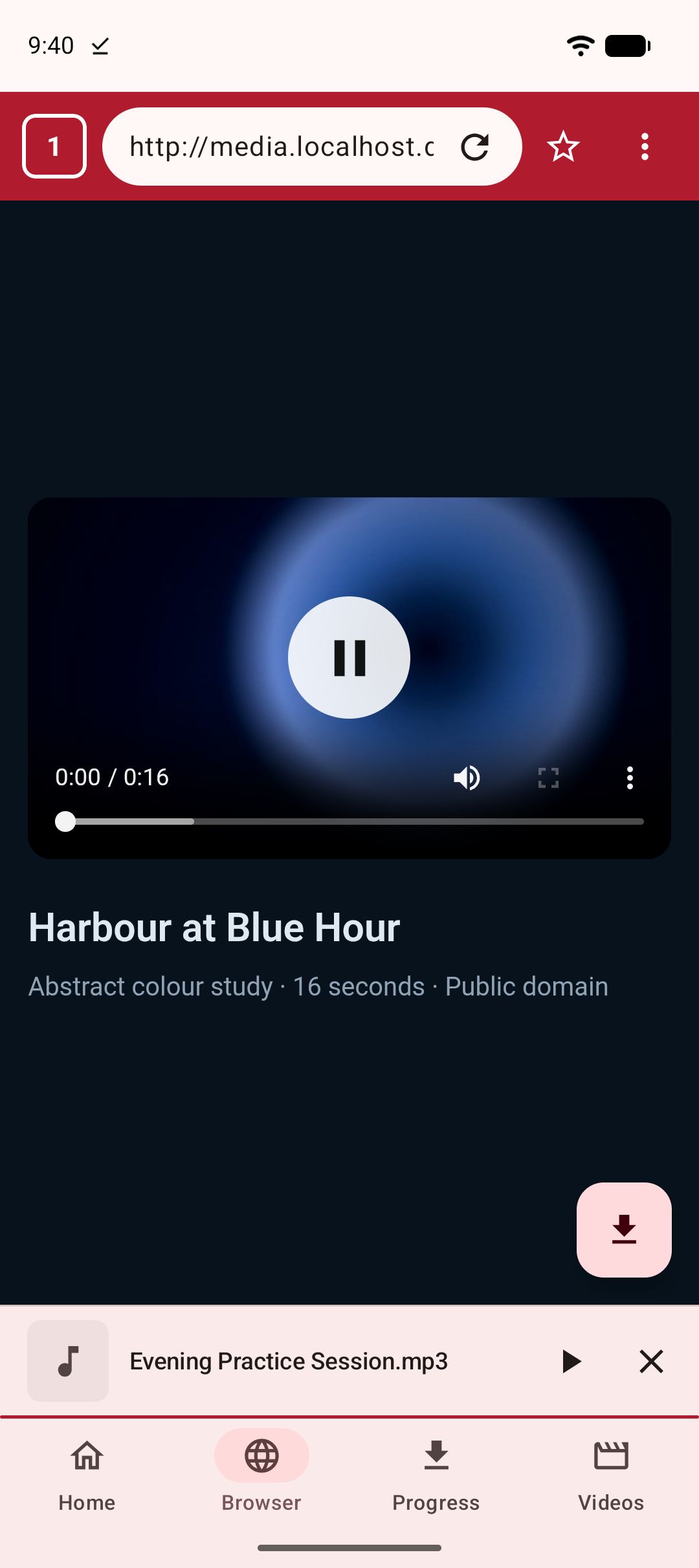
1Paste a link, or browse
Drop in an address from anywhere, paste several at once, or share one to Kite from another app. Or open the page in Kite’s own browser and let it find the media for you.
 2
2Pick your quality
Every resolution the source offers is listed, from SD up to 4K, each with its container, codec and an estimated size. Or pull the audio out as an MP3. Trim out just the part you want, or set a time for it to start.
 3
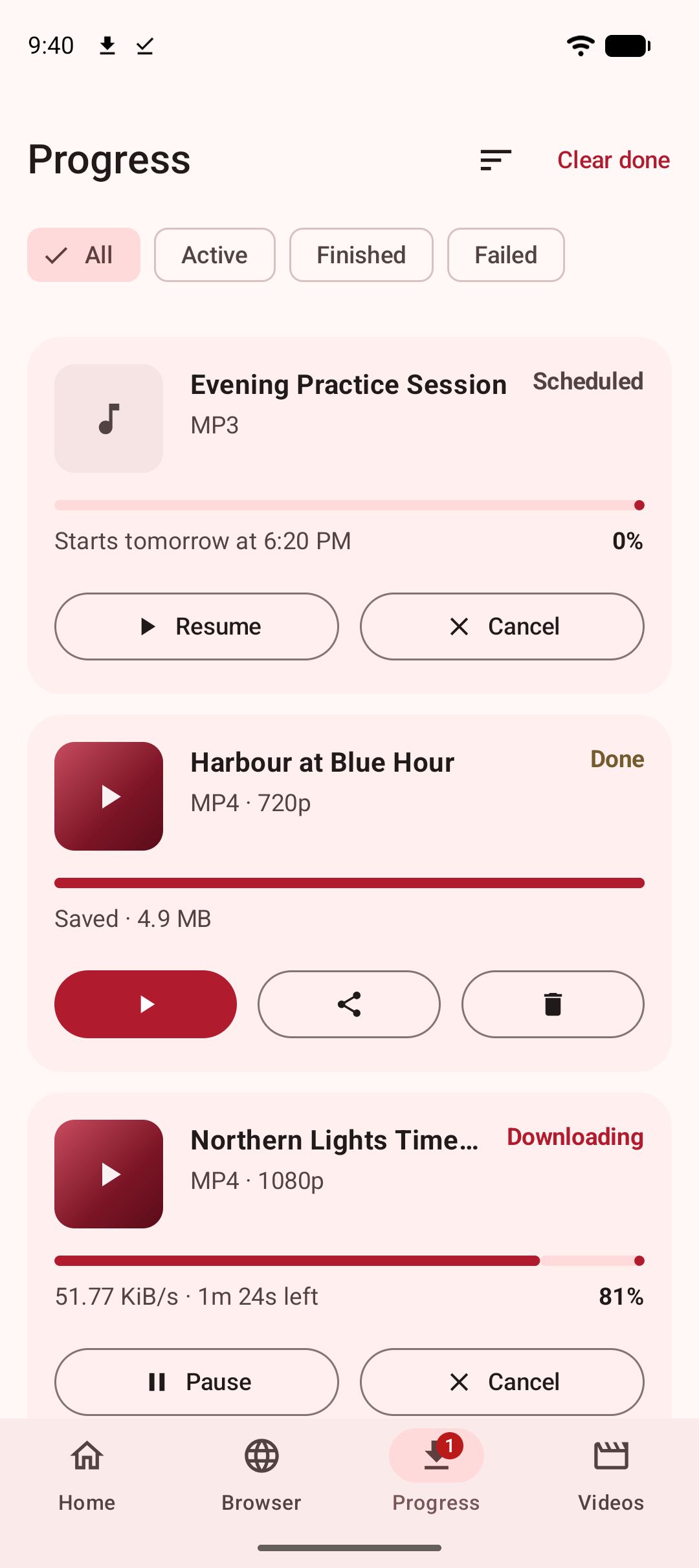
3Watch it offline
Downloads keep running in the background and survive closing the app. Finished files land in a Kite folder your gallery and file apps can see.
Features
Everything you need from a video downloader
One app for finding media, saving it at the quality you want, and playing it back.
Save clips and MP3s
Paste one link or several, or import a list from a text file.
Choose exactly what you save
Every resolution with an estimated size. Cut a clip out, or set it to start later.
Downloads keep running
Live speed and time remaining. Pause or resume from your notification shade.
Save from any app
Share a link to Kite, or paste and download from a Quick Settings tile.
Find media as you browse
A browser with tabs, bookmarks and private tabs that spots playable media.
Your library, on your device
Grouped by folder and searchable. Deleted files go to Trash first, with Undo.
A player built for watching
Swipe to seek, hold for double speed, pinch to zoom, pop out into picture-in-picture.
Repeat the hard part
Loop one section of a video, and lock the screen so a stray tap stops nothing.
Listen with the screen off
Save an MP3, or play a video as audio, and let it run in the background.
Tune the sound your way
An equalizer, bass boost, surround and presets of your own.
A vault behind a PIN
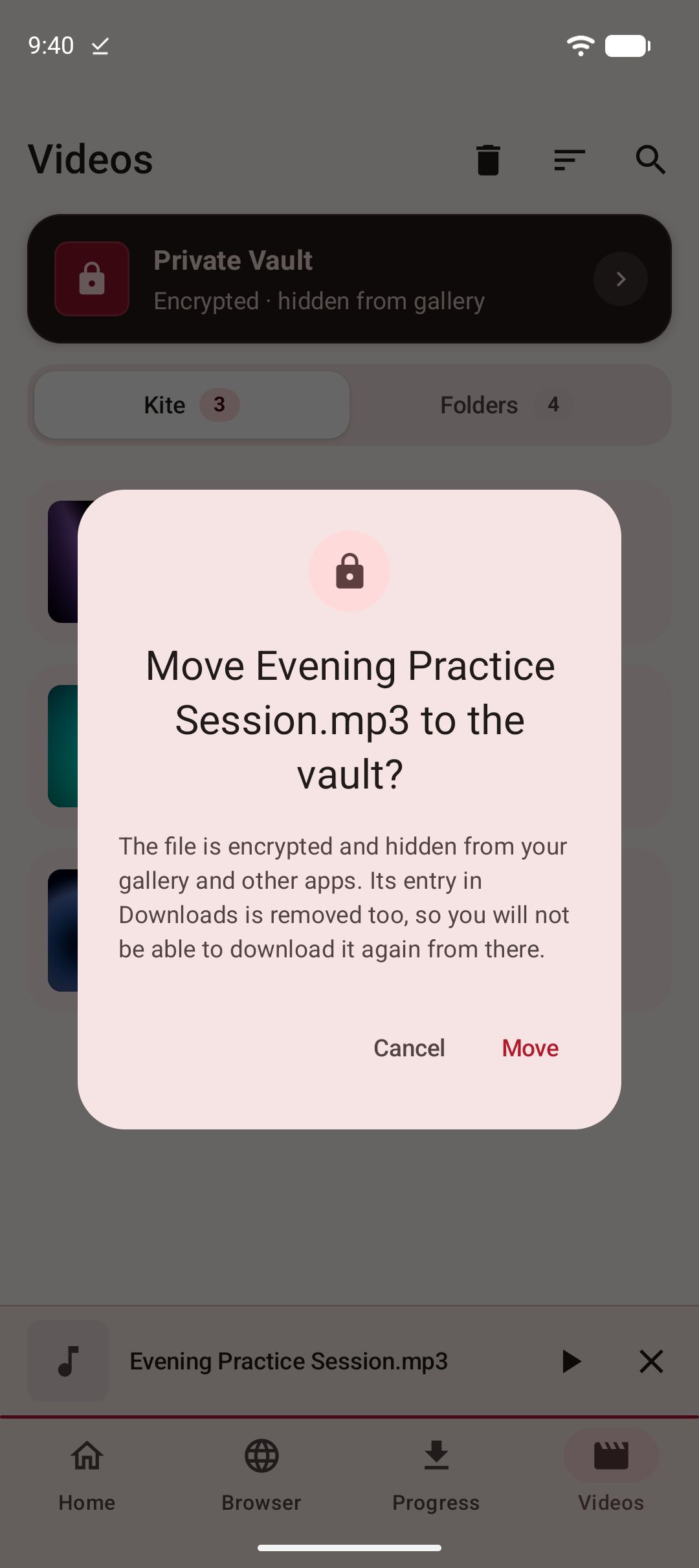
Encrypted and hidden from your gallery. Downloads can go straight in.
No account, no sign-up
Your downloads, history and settings stay on your device.
Player
A player that gets out of the way
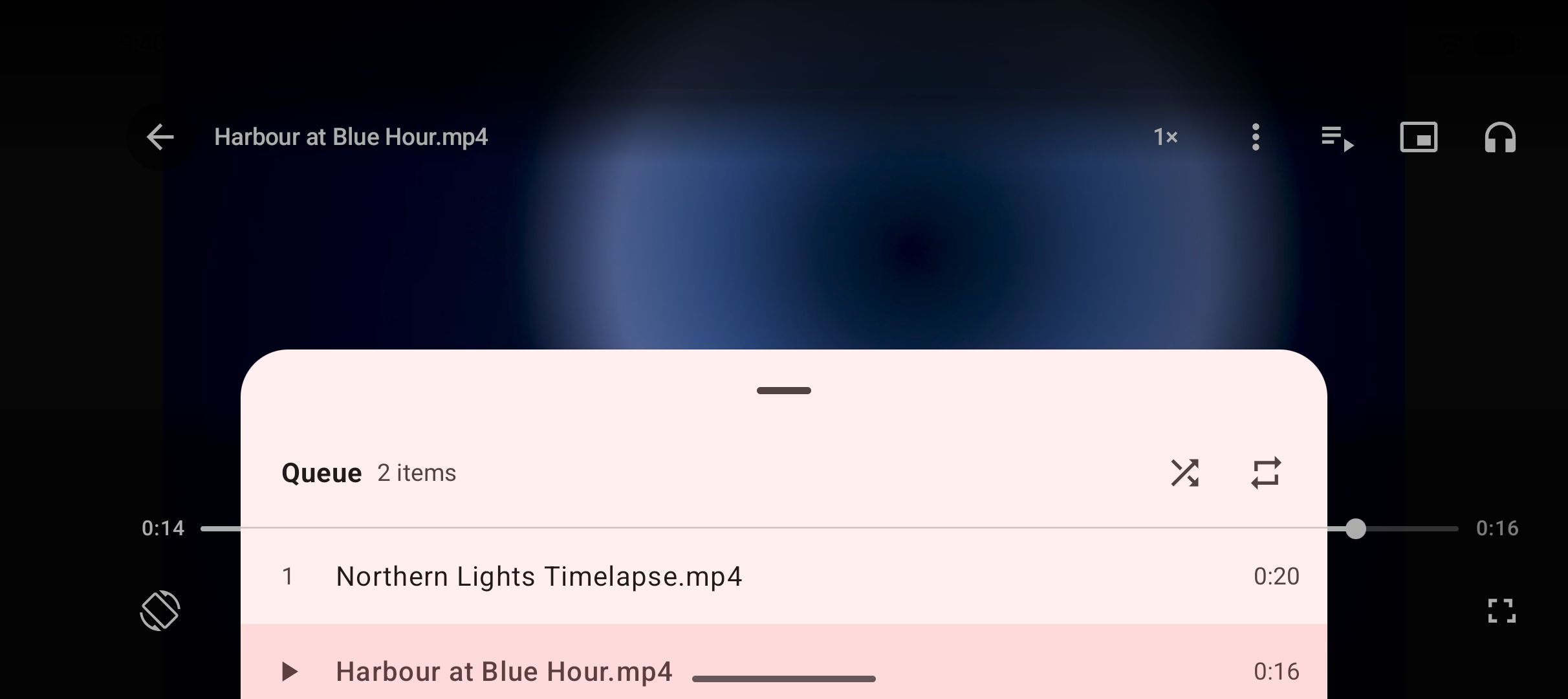
Swipe for brightness, volume and seeking. Press and hold to watch at double speed. Pinch to zoom in on a detail. Skip ten seconds either way. Pop a video out into picture-in-picture and keep watching while you get on with something else.
Learning a dance or a guitar part? Loop the section you are working on, and lock the screen so a stray tap does not stop it.
The videos saved alongside it line up in a queue, so one plays into the next, the whole list is one tap away, and Kite remembers where you stopped.
Saved MP3s carry on playing with the screen off, with controls on your lock screen, in your notification shade and on Bluetooth devices. A video can go the same way with one tap when you only want the sound, and an equalizer with bass boost and surround shapes it.
Screenshots
A look around
Your library, the private vault, background audio, the equalizer and the player’s gestures.

Your library, on your device
A vault behind a PIN
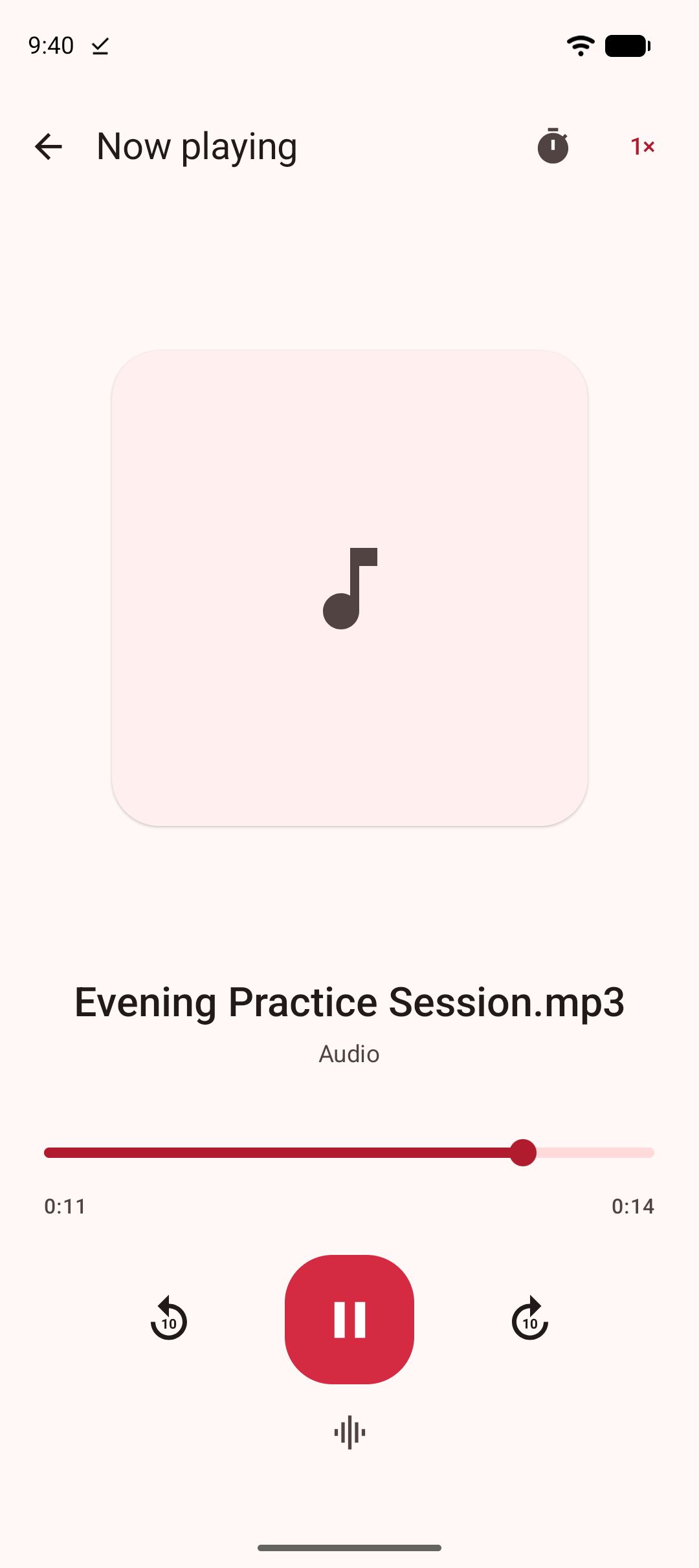
Listen with the screen off
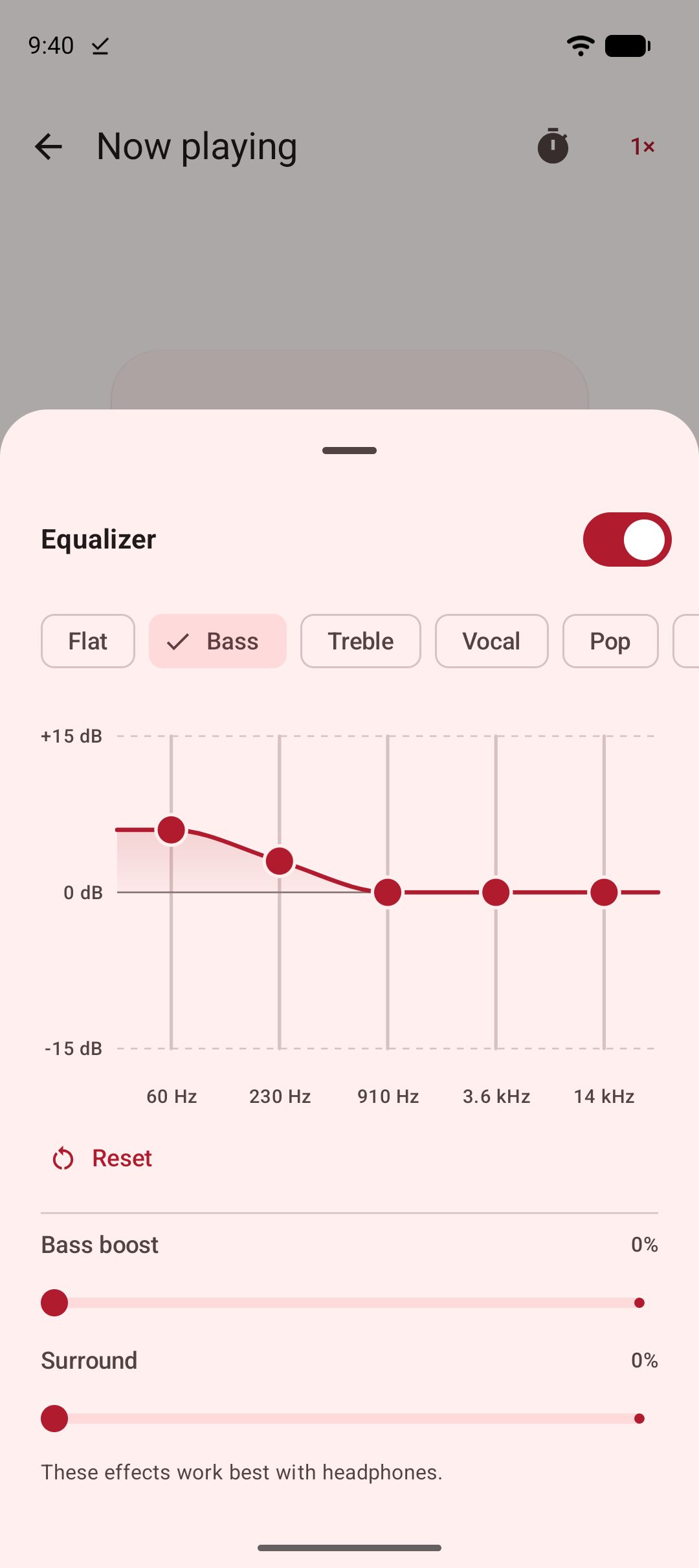
Tune the sound your way
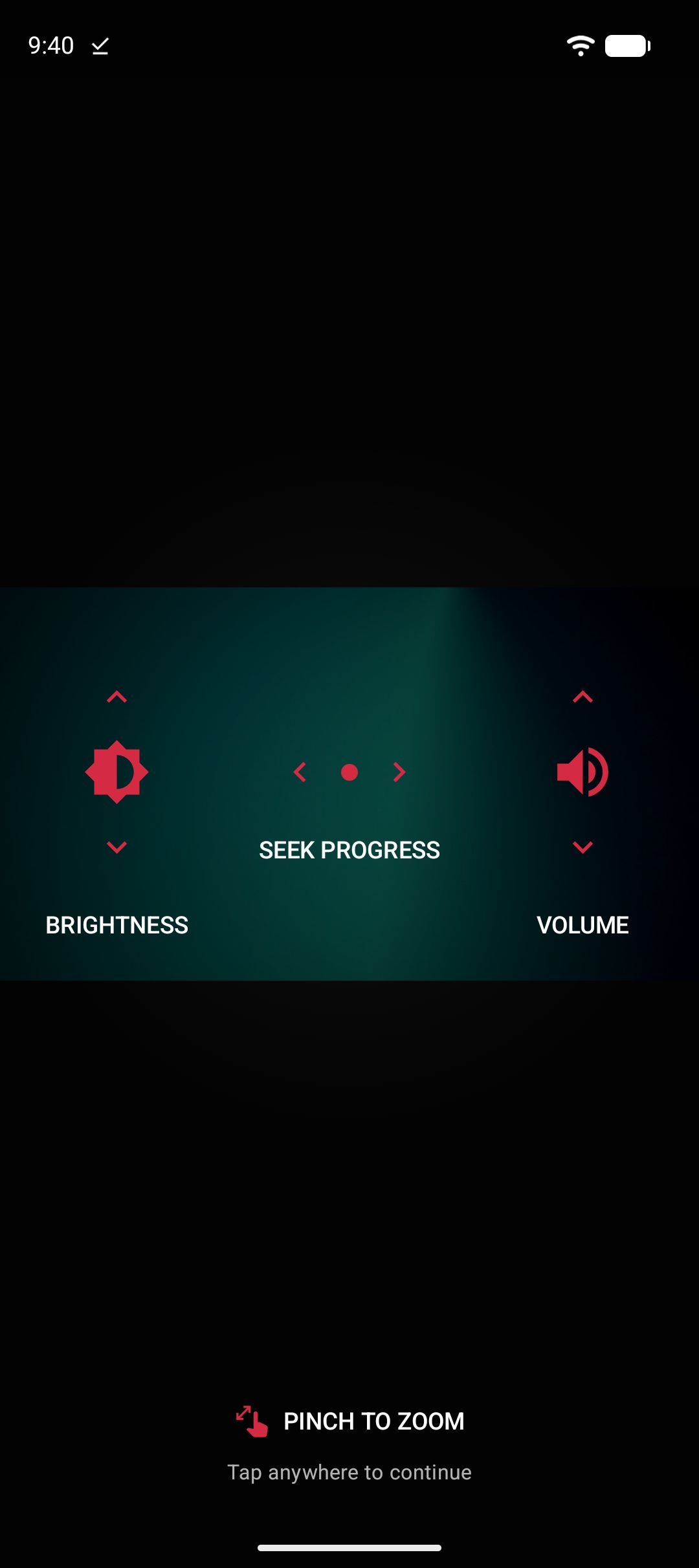
Pinch to zoom
What stays on your device
Kite has no accounts and no servers of ours. Your downloads, your browsing history and your settings stay on your device, and are excluded from cloud backup and device transfer. The extraction engine runs entirely on your phone. The app is supported by ads supplied by third-party partners — the privacy policy sets out exactly what they receive and how to limit it.
Read the privacy policyQuestions
What is Kite: Video Downloader?
Kite saves video and audio from web pages onto your Android phone and plays them back. Paste a link, or find media with the built-in browser, then pick a resolution or save the audio as an MP3. There is no account to make, and we do not run a server for your downloads or history to be sent to. The app is supported by ads; the privacy policy lists what our advertising partners receive.
Which sites does it work with?
Kite handles media pages from TikTok, Instagram, X, Reddit, Facebook, Vimeo, Twitch and Pinterest, and a thousand or so other sites its extraction engine recognises. It saves the stream the page plays — on TikTok, usually without the watermark. Paste a link, or open the page in Kite’s browser, and it will tell you what it can save.
Can I save just the audio?
Yes. Pull the audio out as a high-quality MP3 with title and artist metadata already embedded. You can also convert a video you have already saved without leaving the app, or play a video as audio with one tap and let it run with the screen off. An equalizer with bass boost and surround shapes the sound.
Where do my downloads go?
Finished files land in a Kite folder on your device, where your gallery and file apps can see them. The Videos tab lists everything you have saved along with the video and music already on your phone, grouped by folder and searchable. A file you delete goes to Trash first, so you can undo it.
Can I hide a video from my gallery?
Yes. Move a file into the private vault and it is encrypted on this device and hidden from your gallery, your file apps and the Videos tab. A download can also go straight into the vault, so it never shows up anywhere else. Getting back in needs your PIN. The vault lives only on this phone: there is no reset, and no copy held anywhere else.
Do downloads keep going if I leave the app?
Yes — up to three at a time, and they survive closing the app. Live progress, speed and time remaining appear in your notification shade, where you can pause, resume or cancel without reopening Kite. An interrupted download picks up where it left off instead of starting over.
Is there a subscription or an account?
No. Kite has no accounts and no sign-up. The app is supported by advertising, and there is one version of it, which does everything described on this page.
Does Kite show ads?
Yes. Advertising is what keeps the app available without a subscription and without an account. Ads come from third-party partners, and the privacy policy sets out what they receive and how to limit ad personalisation from your Android settings.
What data does Kite collect?
We collect nothing ourselves — there is no account, no analytics of ours, and no server of ours for your information to be sent to. Your downloads, your browsing history and your settings stay on your device and are excluded from cloud backup and device transfer. The ads in the app come from third-party advertising partners, which receive your device advertising ID, IP address and basic device details in order to show and measure them. The privacy policy names those partners and explains how to limit this.
Does Kite work with DRM-protected content?
No. Kite does not bypass copy protection of any kind: material protected by DRM is declined rather than downloaded.
Which Android versions are supported?
Android 7.0 and newer.
Which languages does Kite speak?
Nine: English, Spanish, Brazilian Portuguese, Indonesian, Burmese, Arabic, Hindi, Turkish and Vietnamese. Choose one on the first screen, or change it later in Settings. It applies to Kite only; your device language stays as it is.
Paste your first link
Kite: Video Downloader is on Google Play for Android 7.0 and newer. No account, no sign-up, no subscription.

Please save responsibly
Kite is a tool for personal use. Save only content you own or have permission to save, respect the terms of the sites you visit, and respect the rights of the people who made what you are watching. Material protected by DRM is declined rather than downloaded.
Questions, bugs or feedback?
nexapp7@proton.me