Turning a video into an MP3 is really two different jobs, and most app listings blur them together. The first job starts with a link: a lecture, an interview, a talk sitting on a public page — you want the sound, not the picture. The second job starts with a file that is already on your phone: a screen recording, a voice-note video, footage you shot yourself. Plenty of Android apps handle the first job. Very few handle both. This roundup compares six apps that advertise MP3 output, and says plainly which job each one does, what quality choices you get, whether the MP3 keeps its title and artist, and where each app actually comes from.
One thing first: Kite: Video Downloader is our app, so read the verdicts here as our honest, sourced case rather than a neutral review. Every claim about the other five apps comes from their own listings or project pages, checked in August 2026.
How we chose
We judged each app on four things:
- Real MP3 output. The listing or project page must state MP3 (or another common audio format) as an output, not just video download with the sound left in.
- Quality options. Does the app tell you what audio quality you are getting, or give you a choice?
- Metadata. An MP3 with an embedded title and artist behaves properly in every player. A folder full of files named after upload timestamps does not.
- Local conversion. Can the app convert a video already saved on your phone, or does it only pull audio out while downloading from a link?
We also state where each app is distributed — Google Play, open-source stores such as F-Droid, or a sideloaded APK — because that decides how you install it and how updates reach you. For a comparison of the same field centred on video rather than audio, see our roundup of the best video downloader apps for Android.
1. Kite: Video Downloader
Kite is a free downloader on Google Play for Android 7.0 and newer. There is no account and no sign-up. It is supported by ads (a banner and the occasional interstitial) and has no subscription — one version, with everything included.
For audio, it is the only app in this list that covers both jobs:
- From a link. Paste a link and Kite works out what is on the page. It lists the available video resolutions alongside an MP3 option; choose MP3 and the audio is extracted with title and artist metadata embedded.
- From a file you already have. Kite converts an already-saved video to MP3 without leaving the app. None of the other five apps in this roundup advertises this (as of August 2026).
Extraction runs on yt-dlp, entirely on the phone. Kite recognises media pages from TikTok, Instagram, X (formerly Twitter), Reddit, Facebook, Vimeo, Twitch and Pinterest, plus a thousand or so other sites. Two exclusions are deliberate: certain large video and music platforms that Google Play policy does not allow downloader apps to touch; Kite deliberately excludes them. It also declines DRM-protected material rather than downloading it.
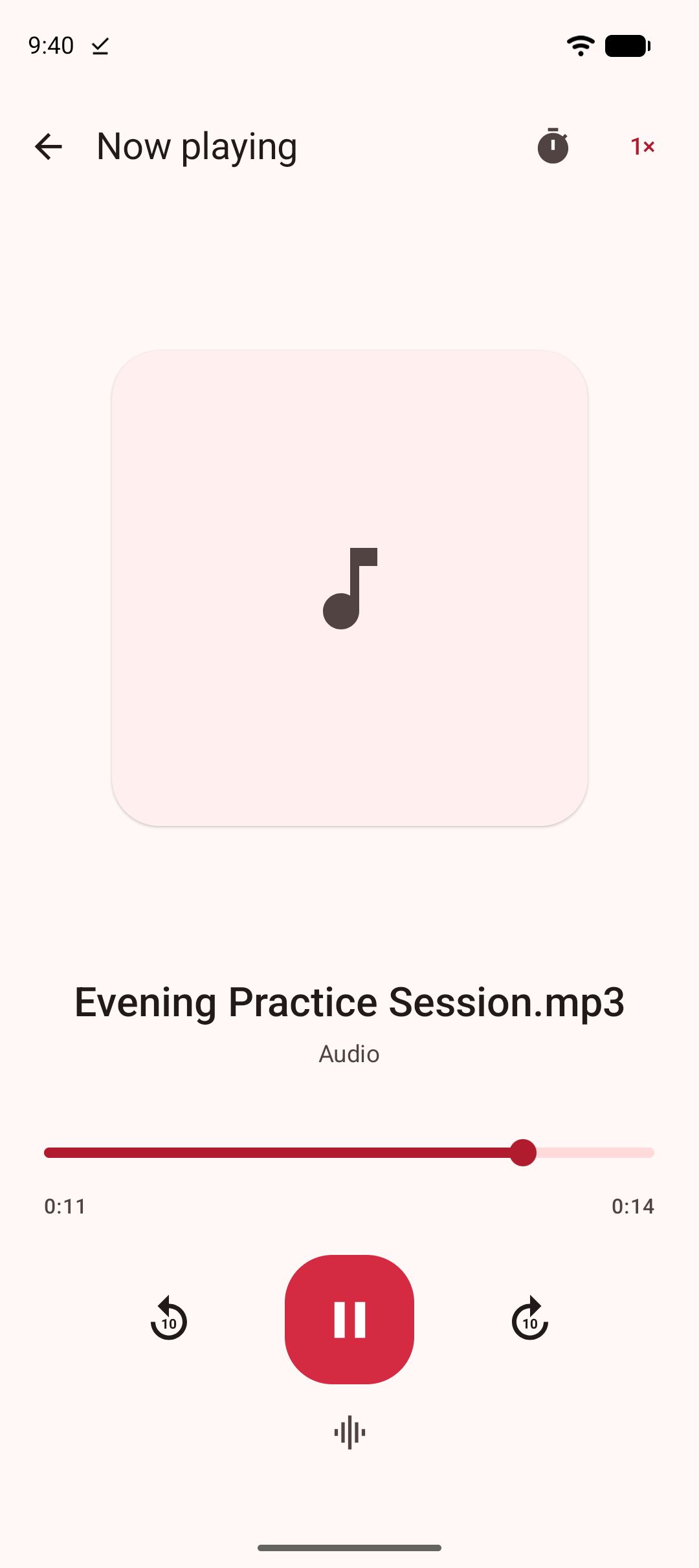
Extracted MP3s land in Kite’s library and keep playing with the screen off, with controls on the lock screen, in the notification shade and over Bluetooth. If you want the exact steps for both paths, our step-by-step guide to turning a video into an MP3 walks through them.
2. Seal
Seal is a free, open-source Android downloader built on yt-dlp, distributed through GitHub releases and F-Droid — it is not on Google Play (as of August 2026). It is GPL-3.0 licensed, funded by donations, and its README states it will always be free and open source.
On the audio side, Seal downloads audio from the sites yt-dlp supports and embeds metadata and the video thumbnail into extracted audio files — the clearest metadata commitment among the five non-Kite apps here. It can also embed subtitles into videos, download a whole playlist in one click, and accepts custom yt-dlp command templates if you know the engine well enough to write them.
The newest F-Droid build is 1.13.1, added in January 2026, and it requires Android 5.0 or newer. F-Droid flags one caveat: Seal relies on the GitHub API to check for and fetch yt-dlp engine updates. Converting a file already on your phone is not an advertised feature — Seal’s pages describe downloading, not local conversion (as of August 2026).
3. YTDLnis
YTDLnis is a free, open-source downloader that also uses yt-dlp and runs on Android 7.0 and above. It is distributed through GitHub, F-Droid, IzzyOnDroid and Uptodown, which its README lists as the only trusted sources — again, not Google Play (as of August 2026).
Its audio downloads come from more than 1,000 websites via yt-dlp, and its stand-out audio feature is cutting: a download can be cut by timestamps or chapters (an experimental yt-dlp feature), so one useful section of a two-hour recording can be saved on its own instead of the whole file. It embeds metadata and chapters, lets you edit the title and author before downloading, and adds a download queue, scheduling by date and time, custom yt-dlp commands and even a built-in terminal. The project is actively developed, with commits as recent as August 2026.
The trade-off is density: YTDLnis is the most configurable app in this list and the busiest to learn. Converting already-saved files is not an advertised feature (as of August 2026).
4. Snaptube
Snaptube is distributed as an APK through third-party stores such as Uptodown rather than through Google Play (as of August 2026). It is proprietary and listed as free; the listing does not state how the app is monetised.
Its flow is search-first: you type what you are looking for into a search box, then pick a format and quality per result from a popup — MP4 for video or MP3 for audio-only. Video quality options typically run from 320p to 1080p and sometimes reach 4K; no audio bitrate choices are stated. Settings include a download-folder chooser, a speed limit and a Wi-Fi-only option. Uptodown’s editorial review notes that in some regions results and downloads only appear when using a VPN (as of August 2026). Snaptube also advertises coverage of certain large video and music platforms that Google Play policy does not allow downloader apps to touch.
For this article’s purpose: MP3 output is advertised, but metadata support is not stated, and converting a file already on your phone is not advertised.
5. VidMate
VidMate is likewise distributed as an APK through third-party stores such as Uptodown rather than through Google Play (as of August 2026), and its listing does not state how the app is monetised.
VidMate’s Uptodown listing describes a Sites shortcut grid and a floating download bubble that appears while a video plays, with MP3 or MP4 output up to 4K on some platforms. Around its MP3 output it adds playback extras: VidMate bundles a music player with playlists and a sleep timer, plus a floating pop-up video mode (as of August 2026). According to the same editorial review, its Restricted Mode for adult content is switched off by default.
No audio bitrate options are stated, metadata embedding is not mentioned, and converting saved files is not advertised (as of August 2026). The current Uptodown build is 6.0102, dated April 2026, for Android 5.0 and newer.
6. TubeMate
TubeMate is installed by downloading an APK from tubemate.net or a third-party store such as Uptodown, not from Google Play (as of August 2026). One distribution fact is worth stating plainly: TubeMate’s own website tells users to ignore the Google Play Protect warning that appears during installation (as of August 2026).
On audio, TubeMate is the most specific of the sideloaded apps. Its listing describes output in MP4, MP3, AAC, OGG and WEBM, with audio quality choices of 48k, 128k and 256k — the only app in this roundup that states audio bitrates at all. Video runs from 144p to 1080p with an optional 8K setting, there is a subtitle download option, and settings cover Wi-Fi-only downloads, a speed limit and a storage-folder chooser.
TubeMate requires Android 4.4 or newer; the Uptodown build is 3.4.22.1565, dated 9 August 2026. Metadata embedding is not mentioned, and converting already-saved files is not advertised (as of August 2026).
Side by side
Everything in this table comes from the listings and project pages in this article’s sources, as of August 2026.
| App | Where to get it | Audio formats | Converts saved files | Metadata embedded | Notes |
|---|---|---|---|---|---|
| Kite: Video Downloader | Google Play | MP3 | Yes, in-app | Yes — title and artist | Free with ads; Android 7.0+ |
| Seal | GitHub, F-Droid | Audio via yt-dlp | Not advertised | Yes — metadata and thumbnail | Open source; Android 5.0+ |
| YTDLnis | GitHub, F-Droid, IzzyOnDroid, Uptodown | Audio via yt-dlp | Not advertised | Yes — metadata and chapters | Cuts by timestamps; Android 7.0+ |
| Snaptube | APK via Uptodown | MP3 | Not advertised | Not stated | Search-first flow; VPN sometimes needed |
| VidMate | APK via Uptodown | MP3 | Not advertised | Not stated | Music player and sleep timer |
| TubeMate | APK via its site or Uptodown | MP3, AAC, OGG | Not advertised | Not stated | 48k/128k/256k quality choices |
Which one should you pick
If you want both jobs handled by one app from Google Play, pick Kite. It is the only entry that extracts an MP3 from a link and converts a video already saved on your phone, the only one with a Google Play listing, and the extracted files carry proper metadata. It also plays what it saves — including MP3 playback with the screen off — so the conversion and the listening happen in the same app; our guide to offline video players for Android covers that side of it.
If you want open source and full control, pick Seal or YTDLnis. Seal is the simpler of the two and makes the strongest metadata promise, embedding the thumbnail as well. YTDLnis is for heavier use: timestamp cutting, scheduling, custom yt-dlp commands. Both are installed from GitHub or F-Droid rather than Google Play, and both assume some comfort with that world.
The three sideloaded APKs are harder to recommend for audio specifically. Snaptube, VidMate and TubeMate all advertise MP3 output, but none of them states metadata support and none advertises converting files you already have. TubeMate does earn a specific mention for stating its bitrate choices — if a small file at 48k or a better-sounding one at 256k matters to you, it is the one listing that lets you choose. All three arrive as APKs installed outside Google Play, which means updates come from wherever you sideloaded them.
Whichever app you pick, the same principle applies. These are tools for personal use: save only content you own or have permission to save, respect the terms of the sites you visit, and respect the rights of the people who made what you are watching.