Every phone gallery has the same weakness: it shows everything to whoever is holding the phone. You hand it over to show one clip, a thumb swipes twice, and a video that was nobody’s business is on screen. That is the problem a private video vault solves — personal recordings, clips of your children, footage of your home, whatever you would rather keep behind a lock. The catch is that many Android apps calling themselves vaults do far less than the name suggests. This guide explains the difference between hiding a video and actually protecting it, gives you five checks to hold against whichever app you consider, and covers the two downloader-integrated vaults we can speak about concretely. One of them is ours: Kite: Video Downloader is our app, so read the verdicts here as our honest, sourced case rather than a neutral review.
Hidden folder or real vault: the difference is encryption
Android keeps a media index — a catalogue of the videos, photos and music on the phone that gallery and player apps read. The cheapest way to “hide” a video is to move it into a folder that the index skips, often marked with a small .nomedia file. The video disappears from the gallery, and to a casual swipe the job looks done. But the file itself has not changed by a single byte.
The gallery is not the only window into storage. Plug the phone into a computer over USB and browse it, or open a file-manager app and turn on “show hidden files”, and a merely-hidden video is sitting right there — same bytes, playable in one tap, often under its original filename. Hiding beats an idle swipe through the gallery. It does not beat anyone who goes looking.
Encryption is the real line. An encrypted vault scrambles a file’s contents with a secret key, so what actually sits in storage is unreadable noise. A file manager can still see that a blob of data exists, but nothing can play it — not over USB, not from a computer, not from another app — without the key.
The second half of a real vault is where that key lives. A PIN screen by itself proves nothing: an app can show a keypad and still keep the files readable underneath, which locks the front door while leaving the goods on the lawn. In a proper vault the PIN protects the key itself, so what is sealed is the data, not just the app’s interface.
What to look for: five checks
Whether you are looking at a standalone locker or a vault built into another app, hold it against these five questions.
1. Encryption at rest, stated plainly
“At rest” means the files are encrypted as they sit in storage, not just while being moved around. The app’s listing or website should apply the word “encrypted” to the files themselves. Vague wording — “hide”, “lock”, “private space” — with no mention of encryption usually means moved-and-renamed. If the description does not say it, assume it does not do it.
2. A PIN that guards the key, not just the screen
The PIN should be what the encryption depends on, so that the vault cannot be opened without it by anyone — including the people who made the app. The strongest designs also tie the key to the phone’s own secure hardware, so the encrypted files cannot simply be copied off and unpicked at leisure on a computer. There is a simple tell in the opposite direction: an app that can reset your PIN over email can clearly open your vault without your PIN, which means someone other than you holds a way in.
3. Proper exclusion from the gallery
Vaulted files should disappear completely: no entry in gallery apps, no thumbnail lingering in a recent-files list, no result when the filename is searched. A leftover thumbnail defeats the whole exercise, because the frame someone glimpses is usually the frame that mattered.
4. On-device or cloud — know which you are getting
Some vault apps keep everything on the phone. Others copy your files to the company’s servers so you can sign in from a new device. Neither is automatically wrong, but they protect against different things: a server copy survives a lost phone and depends on the company’s security and honesty; an on-device vault depends on nobody but you, and is lost with the phone. A trustworthy app says clearly which model it uses. If its pages and policy do not say, treat that silence as your answer.
5. An honest answer to the forgotten PIN
Before trusting an app with anything real, find its answer to “what if I forget the PIN?”. There are only two honest ones. “Your files are gone” means the vault is sealed to you alone. “We can restore your access” means the maker holds a key too, and the vault is only as private as their systems and their staff. The worst answer is no answer.
The Private Vault in Kite: Video Downloader
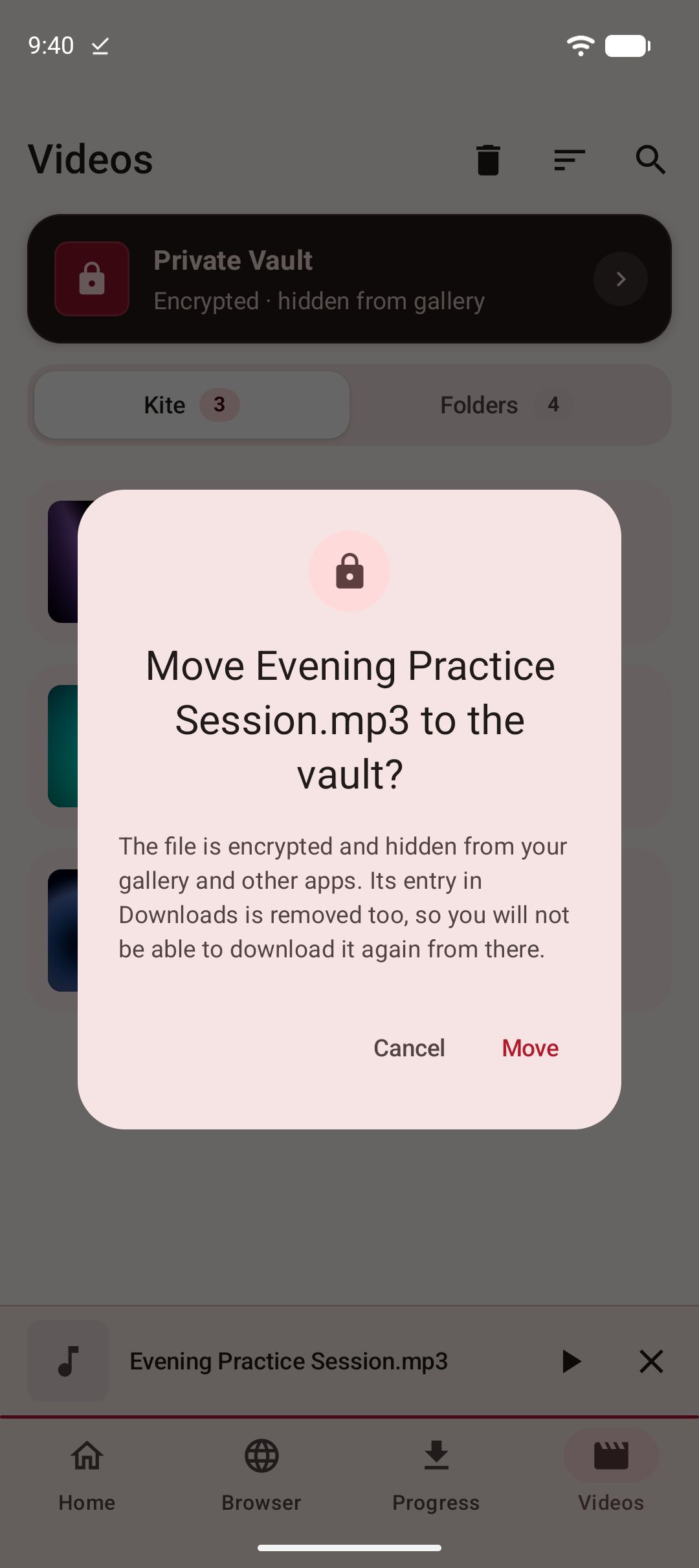
Kite is our Android downloader and player, distributed through Google Play for Android 7.0 and newer — free, supported by ads, with no account or sign-up. The Private Vault is built into it, and that placement is the point. A video you save normally lands in a Kite folder that gallery and file apps can see, which is what you want for everyday clips and exactly what you do not want for private ones. Because the vault lives in the same app as the downloader and the library, moving a saved video into it is a single step — no second app, no shuffling a private clip through a file manager between one app and another. A clip saved with our guide to saving TikTok videos without the watermark can go straight from the library into the vault. Once a vault exists, the download itself can skip the gallery: switch on Save to Private Vault in the format sheet and the file goes from the download into the vault without ever appearing in the gallery, even while the vault is locked, because adding a file needs no PIN and only opening one does. Our guide to downloading videos privately walks through that route.
Held against the five checks: the vault is PIN-locked; vaulted files are encrypted, not just moved out of sight; they are hidden from the gallery; and everything stays on this device. Kite has no account system, no analytics of its own and no server of its own, so there is nowhere for a vaulted file to be uploaded to — the vault’s contents never leave the phone.
On the fifth check, our answer is the strict one, and we would rather state it plainly than bury it: there is no reset and no back door. If you forget the PIN, the files are gone. If you uninstall the app or clear its data, the vault is destroyed along with everything in it. We built it that way on purpose, because a vault that someone can open for you is a vault that someone can open. The price of a vault sealed to you alone is that you hold the only way in — so choose a PIN you will actually remember, and keep a separate copy of anything you cannot afford to lose.
The vault is one corner of a larger app. The saving side — quality picker, MP3 extraction, scheduled downloads, pause and resume — is covered in our round-up of the best video downloader apps for Android, and the watching side in our guide to the best offline video players for Android.
InsTube’s Video Lock
InsTube is another Android downloader that ships a privacy feature, which makes it the other integrated option worth naming. Its site advertises downloads from more than 100 sites, MP3 output, a built-in video and music player, and a feature called Video Lock, described as a private space to hide videos, music and pictures (as of August 2026).
That description is as far as we can responsibly go. InsTube’s site describes a private space; it does not describe how Video Lock protects what you put inside, so we make no claim about it either way. If you try it, hold it to the five checks above yourself, starting with the USB test described in the next section.
Two distribution facts, stated plainly: InsTube is installed by downloading an APK from instube.com or the third-party stores its site points to, not from Google Play (as of August 2026). Its homepage lists version 2.6.6 as the current download (as of August 2026).
Judging a standalone vault app
Most of what ranks for vault-app searches is standalone lockers — apps whose only job is hiding photos and videos. We have not audited that field, so you will find no names and no verdicts here. What we can give you is the method, and it works on all of them:
- Read the listing for the word “encrypted”, applied to the stored files. “Hide” and “lock” alone are not it.
- Find the forgotten-PIN answer before you put anything real inside, and decide whether you want the strict model or the rescue model — deliberately, not by default.
- Read the privacy policy for whether files, thumbnails or file names ever leave the device, and where they go.
- Then run the one test that settles it: vault a single throwaway video, plug the phone into a computer over USB, and go looking for it — through the folders, through hidden folders, by searching the filename. If you can find it and play it, you have a hidden folder, not a vault.
- Be wary when one page promises both “nobody can ever see your files” and “contact us if you lose access”. Each can be half-true; they cannot both be the whole story.
Bottom line
“Hidden” and “private” are different promises. A hidden video is out of the gallery and one curious file manager away from being found; an encrypted one is sealed. Whichever app you choose, make it answer the five checks — above all the forgotten-PIN question, because that answer tells you who really holds the keys. And if the videos you want to protect are ones you saved yourself, a downloader with the vault built in closes the gap between saving and sealing. Kite’s Private Vault is PIN-locked, encrypted, hidden from the gallery, and stays on this device — and nobody, including us, can open it without you.