To loop part of a video on Android, you need a player with A-B repeat: you mark where the stretch starts (A) and where it ends (B), and the player jumps back to A every time it reaches B. In Kite: Video Downloader, open the video, tap More options, choose Repeat a section at the start of the part you want, then choose Set the end of the repeat when it finishes. Kite is our app, so read this as our description of what it does rather than a neutral review.
Most guides on this subject explain how to repeat a whole video, or how to build a looping clip in an editor. This one is about something narrower and more useful for learning: repeating one stretch of a file on your phone, as many times as you need, while the rest of the video stays exactly as it is.
What A-B repeat is for
Anything you learn by watching the same few seconds again and again. Language learners use it to shadow one sentence until the rhythm sticks. Dancers use it for the eight counts they keep missing, musicians for a riff or a drum fill, athletes for a serve or a swing, and cooks for the moment in a recipe video where the technique actually happens. Students use it on the one paragraph of a recorded lecture that the rest of the talk depends on.
The alternative is dragging the seek bar back by hand, which breaks your concentration every time and rarely lands on the same spot twice. A-B repeat is also different from editing. An editor makes a new, shorter file and has to re-encode it; A-B repeat is a playback setting, so nothing is cut, copied or converted, and the original stays whole.
What you need
- Kite: Video Downloader from Google Play, on Android 7.0 or newer. It is free and supported by ads, a banner and the occasional interstitial, with no account and no sign-up.
- The video on your phone. It can be something Kite downloaded, or a file that was already there: the Folders side of Kite’s Videos tab lists the other folders on the phone that hold video or music, such as camera recordings, clips someone sent you or files copied from a computer. Kite asks for access to your videos and music the first time you open it.
- An ordinary saved file, so the player knows how long it is.
If the video is still on a web page, save it first; our complete guide to downloading videos on Android covers that from the beginning.
Step by step
- Open the video in Kite’s player. Tap it on the Videos tab or in your downloads.
- Find the start of the part you want. Drag the seek bar, swipe left or right across the picture, or double-tap either side to skip ten seconds. Stop a moment before the phrase begins.
- Set A. Tap the picture to show the controls, tap More options (the three dots at the top) and choose Repeat a section. The start is marked where the video is, and a thin mark appears on the seek bar.
- Let it play to the end of the part. Open More options again. The same item now reads Set the end of the repeat. Tap it as the part finishes.
- Watch it loop. From now on, every time playback reaches B it goes back to A. Both marks sit on the seek bar, drawn over the knob so they stay visible even when the playhead is right on top of one.
- Stop when you are done. Open More options once more. The item now reads Stop repeating, and one tap returns the video to normal playback.
The menu item always names what the next tap will do, so you never have to work out which state the loop is in.
Tips for a clean loop
Set A early and B late. The marks go where the video is at the moment you tap, and human timing is never exact. Kite also checks the position about five times a second, so the jump back can land a fraction of a second after B. A little room at each end costs nothing and saves clipped first and last words.
Mind the one-second rule. A tap on Set the end of the repeat that comes less than a second after A, or at a point before A, is read as a new start rather than an end, because a loop that short would only stutter. If the menu still says Set the end of the repeat after you tapped it, that is what happened; play on a little and tap again.
Slow it down. The speed chip at the top of the player changes the playback speed for the loop too.
Scrubbing inside a loop. Only the end is enforced. Seek to a point before A and the video plays forward into the loop as normal; seek past B and it is sent back to A on the next check.
Zoom in on the detail. For hands on a fretboard or feet in a step, pinch to enlarge the part of the picture that matters. Our guide to zooming in on a video on Android explains the gestures. If the phone is propped on a music stand or a kitchen counter, Lock screen sits in the same menu and stops a stray touch from moving anything; locking the screen while you watch covers when that helps.
Looping a whole video, or saving only the part
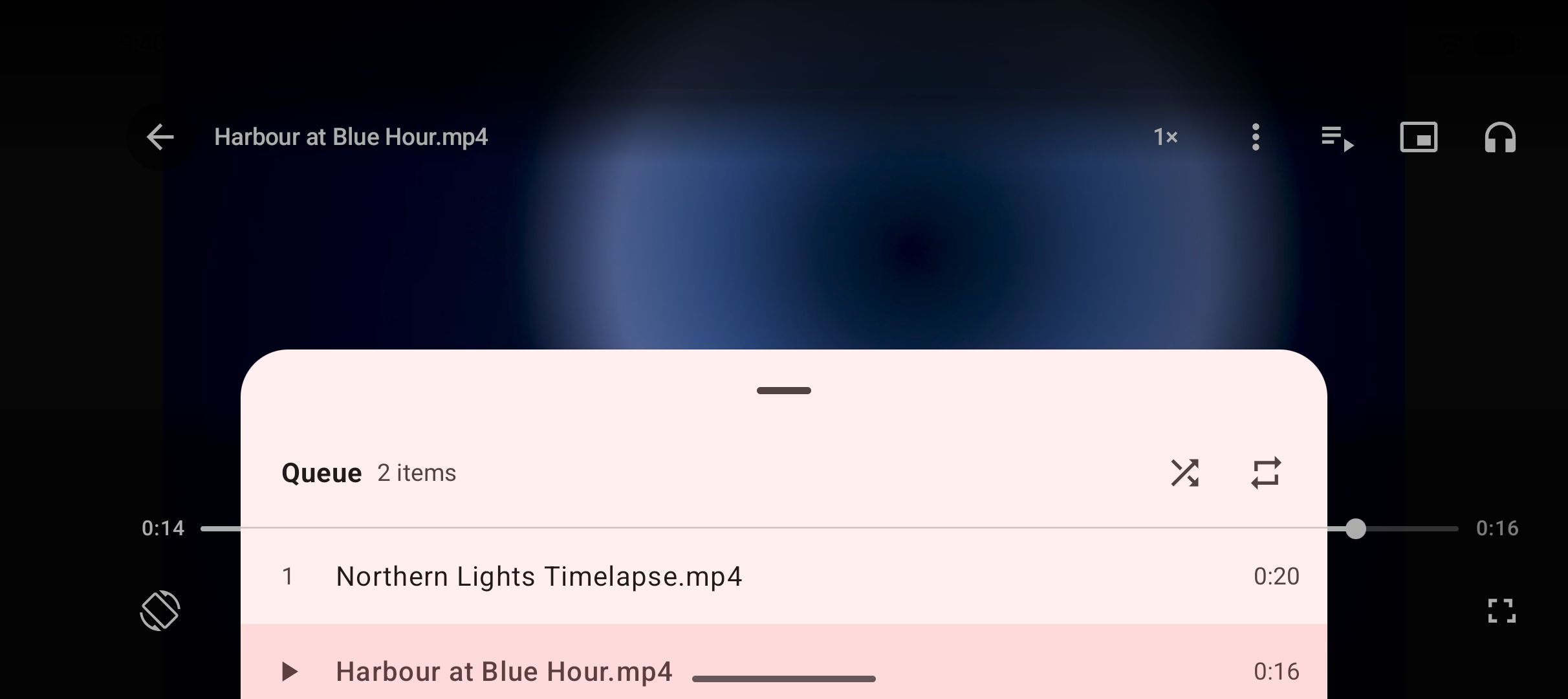
The whole video. When you open a video from the Videos tab, it plays in a queue with the other videos in the same list. Open the queue with Show queue and tap the repeat button, which cycles through Repeat off, Repeat all and Repeat one track. Repeat one track plays the same video over and over. A file opened on its own, from your downloads list, plays without a queue, and the queue controls hide themselves; open it from the Videos tab when you want them.
Only the part, before you save it. If the video is still on a web page and you only ever want one stretch of it, use Trim on the format sheet when you download. Trim before download asks for a start and an end, and Kite saves just that stretch. It cuts at the nearest keyframe, so the start can shift by a second or two, and a trimmed download shows Processing for a while at the end. The result is a short file you can loop without marking anything.
For everything else a player should do with saved videos, from gestures to picture-in-picture, see what makes a good offline video player on Android.
If it does not work
Repeat a section is greyed out
The player does not know the length of the file yet. Start playback and give it a moment; the item becomes available as soon as the length is known.
The loop keeps cutting off the last word
B was set right on the word. Stop repeating, set A again, and tap Set the end of the repeat a beat later than feels natural.
A swipe moved the playhead out of the loop
Swipes across the picture seek, and a brushed screen can send you elsewhere. Seeking backwards simply plays forward into the loop again. If it keeps happening, use Lock screen from More options while you practise.
There is no A-B option for an MP3
A-B repeat belongs to the video player. For audio, Repeat one track in the queue loops a whole file, and our guide to playing a video with the screen off explains how the audio side works.
The legal bit
Kite is a tool for personal use. Loop, study and replay what you own or have permission to save, respect the terms of the sites you save from, and respect the rights of the people who made the videos. Kite does not bypass copy protection of any kind: material protected by DRM is declined rather than downloaded. And for scope, one honest note: there are certain large video and music platforms that Google Play policy does not allow downloader apps to touch; Kite deliberately excludes them.