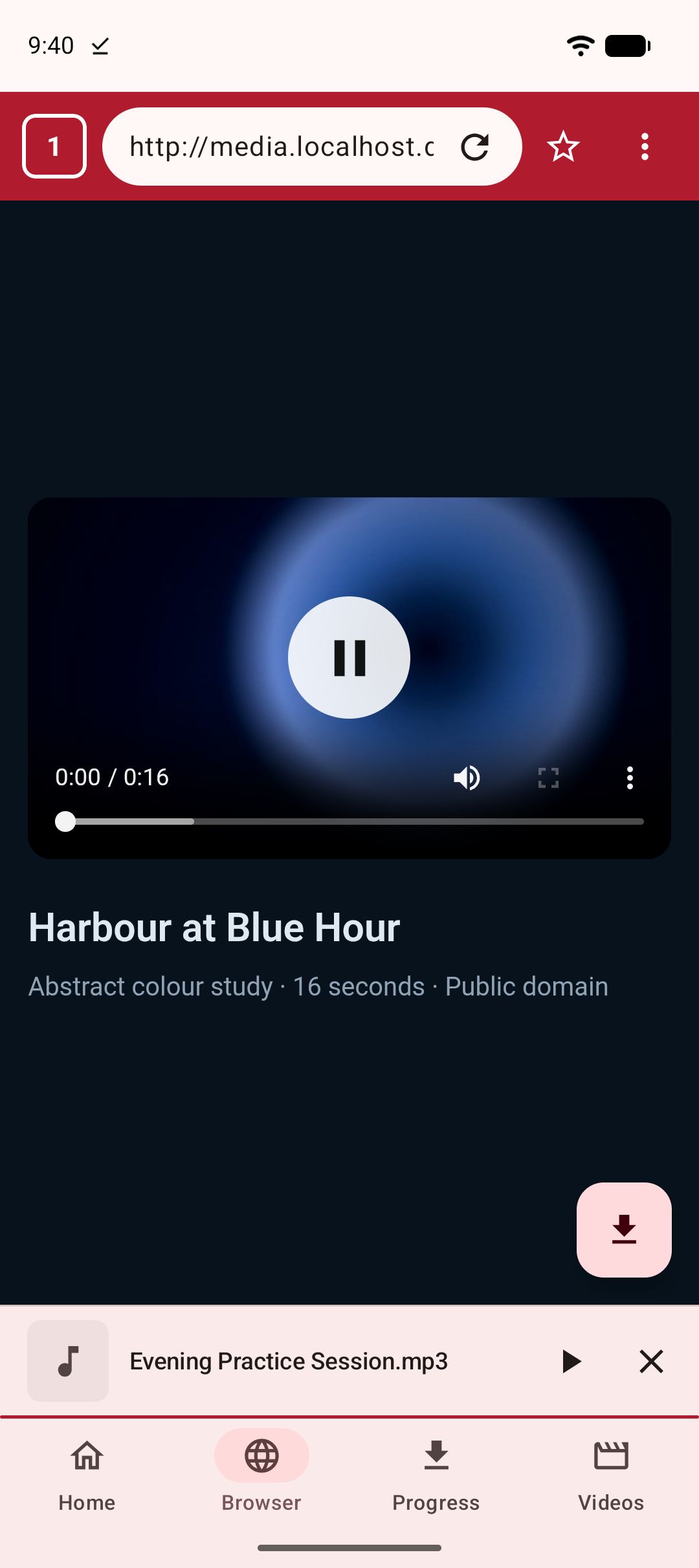
To download a video from a web page on Android when the page offers no download button, open the page in the built-in browser of Kite: Video Downloader, press play, and tap the save button that appears. Kite watches what the page loads and offers the video it is actually playing, then lists the qualities on offer. For a page whose address you can copy, pasting the link on Kite’s Home tab often works just as well. Kite is our app, so read this as our honest description of what it does rather than a neutral review.
This guide is for the ordinary web: a clip on a news site, a talk on a conference page, a product video on a shop, a recording embedded in a blog. It is not a way round copy protection, and it does not reach the platforms Kite deliberately leaves out; both limits are stated plainly below.
Why there is no download button
Video on the web rarely arrives as one file sitting behind a link, which is why a long-press so often shows nothing useful. Three things are usually going on.
The video is in an embedded player. The page you are reading hosts a player from somewhere else, and the player decides how the video is delivered. The page itself never had a file to offer.
The video is a stream, not a file. Most players fetch a small text playlist and then a few hundred short segments, switching quality as your connection changes. Saving the playlist gives you a text file; saving one segment gives you three seconds of video. Our guide to m3u8 and HLS streams on Android explains this format in detail.
The address the player uses is not a file. Many players load video through a blob address that exists only inside the page. There is nothing at that address to download, even though the video is plainly playing.
Chrome’s own long-press download works only in the simplest case, a plain video file placed directly on the page. Everything else needs a tool that watches what the page does rather than what it links to.
What you need
- Kite: Video Downloader from Google Play, on Android 7.0 or newer. There is no account and no sign-up. It is free and supported by ads, a banner and the occasional interstitial, with no subscription.
- The page with the video, either as a link you can paste or as a site you can browse to.
- A few minutes and some free storage.
If you are weighing apps first, our roundup of the best video downloader apps for Android compares the field, including which apps are actually on Google Play.
Method 1: paste the page link
Copy the page’s address, open Kite and tap Paste on the Home tab: the address goes into the box and reading starts straight away. With Auto-paste links switched on in Settings, Kite pastes it for you when it opens. Kite hands the address to yt-dlp, an extraction engine that runs entirely on the phone and knows the page structure of a thousand or so sites, TikTok, Instagram, X (formerly Twitter), Reddit, Facebook, Vimeo, Twitch and Pinterest among them. For a page it has no specific knowledge of, the engine still reads the page looking for a video element or a stream playlist, which is enough for many simple sites. You can paste several links at once, separated by spaces, commas or new lines, and each becomes its own download.
If Kite reports that it found nothing on the page, that is not the end. It means the video is loaded in one of the ways described above, and the browser route is built for exactly that.
Method 2: let the browser find it
- Open Kite’s Browser tab. It is an ordinary browser with tabs, bookmarks, history and a choice of search engine, and it blocks advertising and tracking domains as you browse.
- Go to the page by typing the address or searching for it.
- Press play on the video. This matters: the browser offers what the page is actually playing, and many pages fetch the stream only when playback starts.
- Tap the save button when it appears. Kite’s browser has been watching two things while the page runs. It scans the page for video elements, including those inside frames and web components, and notes the direct address of the one that is playing. And it observes the media the page requests, plain files and stream playlists alike, including streams loaded behind blob addresses through the page’s own fetches. When it has a candidate, the save button appears; it prefers a whole stream over a single fragment.
- Pick a quality. The format sheet lists what the source offers, with container, codec and an estimated size beside each entry, or an MP3 option if you only want the sound. For a page the browser found a stream on, that list is often short, sometimes a single entry.
- Let it run. The download moves to the notification shade with live speed and time remaining, and pause, resume and cancel beside it. It keeps going in the background, survives closing the app, and resumes after an interruption rather than starting over.
One detail does a lot of quiet work here. When the browser hands a stream to the download, it passes along the page’s cookies, its user agent and the page address as referer, so a stream that only plays from its own page still downloads. The paste route does not do this, which is why the browser route succeeds on pages where pasting fails.
Two more things the browser catches. A plain download link, the kind that makes a browser ask where to save a file, goes into Kite’s download manager rather than a separate downloads folder. And if a page moves from one video to the next without reloading, as feeds do, the browser re-checks the page and re-arms the save button for the new video.
Method 3: Chrome’s long-press, for the simple case
On a page that places a plain video file directly, long-pressing the video in Chrome offers Download video, and for that case it is the quickest tool there is. It does not appear for embedded players or streams, and it gives you no choice of quality. Try it first if you like; when it shows nothing, come back to Method 2.
Where the file lands and how to watch it
The finished file lands in a Kite folder that your gallery and file apps can see, and appears on Kite’s Videos tab alongside the video already on your phone, grouped by folder and searchable. Tap to play in place: swipe to seek or adjust brightness and volume, hold for double speed, skip ten seconds either way, pop out into picture-in-picture, or tap Play as audio to keep listening with the screen off. Saved videos can be converted to MP3 later, and a file that should stay out of the gallery can move into the Private Vault, PIN-locked and encrypted on this device.
If it does not work
The save button never appears
Scroll the video into view, press play, and wait a second or two; some pages do not fetch the stream until then. Reload the page and try once more. If the video is a still image with a play icon that leads to another site, follow it and try on the destination page. Our Pinterest guide covers the classic version of that, where a pin is only a signpost.
The page shows the video only after you sign in
Sign in inside Kite’s browser, then play the video and tap save. The browser keeps its own session, and it hands that session along with the stream, so the video the page plays for you is the one Kite offers. This is for pages you are entitled to see. Content that is private to someone else has no stream to offer a visitor, and Kite will not produce one; our Facebook guide walks through the most common shape of that problem.
The video is DRM-protected
Kite does not bypass copy protection of any kind: material protected by DRM is declined rather than downloaded. Kite says so rather than saving a broken file, and no setting changes it.
The video is live
A broadcast in progress is not a file yet. Wait until it ends and a recording is posted, then save that.
You got a tiny file from another tool
A text file a few kilobytes long is a stream playlist, and a few seconds of video is a single segment. Neither is the video. Paste the page link into Kite, or open the page in its browser, and let it fetch the whole stream and join it into one MP4.
The site is one Kite deliberately excludes
There are certain large video and music platforms that Google Play policy does not allow downloader apps to touch; Kite deliberately excludes them. On those pages the save button does not appear, and a pasted link is declined with a message. That is a policy choice, not a fault.
The legal bit
Kite is a tool for personal use. Save only content you own or have permission to save, respect the terms of the sites you visit, and respect the rights of the people who made what you are watching. A video on a web page is somebody’s work whether or not the page offers a download button, and a saved copy is for your own offline viewing, not for re-uploading elsewhere. For the whole picture, from an app’s own save button to what to do when a download fails, start with our complete guide to downloading videos on Android.