To save a Facebook video on Android: copy the video’s link from the share menu, open Kite: Video Downloader, and pick the quality you want. The download runs in the background, and the finished file lands in your gallery.
That is the whole job for a public video, a post from a public page, or a reel. The rest of this guide covers the parts that trip people up: getting the video’s own link instead of a share wrapper, choosing between the SD and HD variants Facebook serves, and what to do when a video will not extract because it was never public. One thing to rule out first — Facebook’s own “Save video” button bookmarks the post inside the app. The clip goes to your Saved list, and you still need Facebook and a connection to watch it. No file reaches your storage.
What you need
- Kite: Video Downloader from Google Play, on Android 7.0 or newer. It is free and supported by ads (a banner, and an occasional full-screen ad). There is no subscription, no account and no sign-up.
- The link to the video, reel or watch page. Both the long facebook.com watch links and the short fb.watch links work.
- A few minutes and enough free storage for the file.
What Kite can and cannot pull from Facebook
Kite reads the public page behind a link. So videos on public pages, posts in groups that are set to public, and public reels all extract normally. Videos shared with friends only, posts inside a private group, and anything else that needs you to be logged in do not extract — there is no public page to read. That is a limit of how the content is published, not a setting you can switch off, and no downloader app changes it.
Two more limits, stated plainly. Kite does not bypass copy protection of any kind: material protected by DRM is declined rather than downloaded. And Kite does not touch certain large video and music platforms that Google Play policy does not allow downloader apps to touch; Kite deliberately excludes them. What it does recognise is media pages from Facebook, Instagram, TikTok, X (formerly Twitter), Reddit, Vimeo, Twitch and Pinterest, plus a thousand or so other sites, using the yt-dlp engine running on the phone itself. If you are weighing your options first, we compare the field in our roundup of Facebook downloader apps.
Step by step
-
Open the video on its own page. In the Facebook app, tap the video inside the post so it opens as a video rather than sitting in a feed. This matters: a link copied from the post-level menu can point at the post, or at a share wrapper, instead of the video. Reels already open on their own screen, so nothing extra is needed there.
-
Copy the link. Tap Share, then Copy link. Facebook puts the address on your clipboard. Nothing is posted or sent by copying a link.
-
Open Kite and hand it the link. Tap Paste on the Home tab and the link goes into the box. If you switch on Auto-paste links in Settings, Kite pastes a copied link by itself when it opens. Kite then reads the page and lists what is on it. You can also share straight from Facebook: use Share, then pick Kite from the Android share sheet, and Kite’s quality list opens over Facebook without leaving it.
-
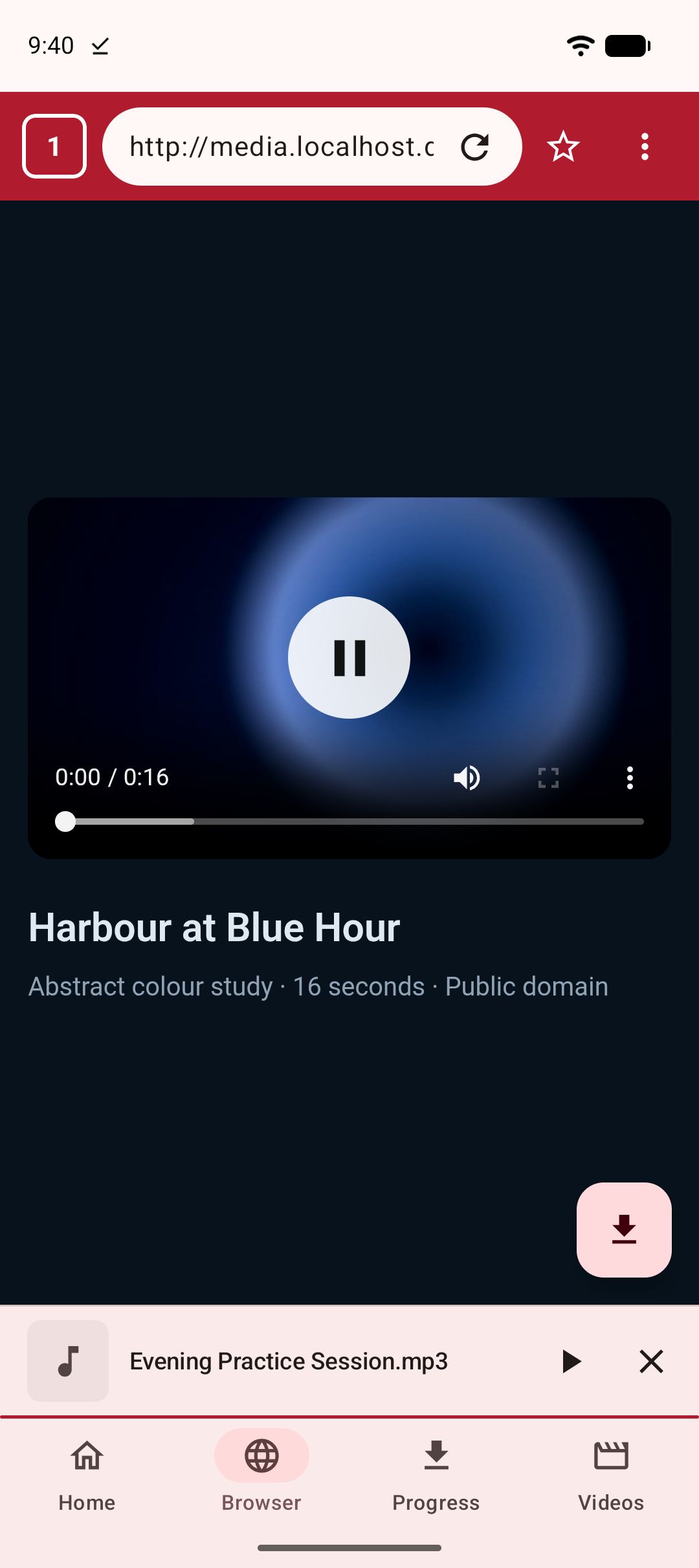
Or browse instead of pasting. Kite has a built-in browser. Open the public page in it, play the video, and Kite spots the playable media and offers to save it. This is the route for a video you found while browsing, where copying a link is more work than it is worth. Public pages only, for the reason above.
-
Pick a quality, or take the audio. Kite lists every resolution the source actually offers, with the container, the codec and an estimated size for each. Facebook commonly serves an SD and an HD variant of the same clip, so most sheets are short: pick HD for keeping, SD when you want a smaller file. If you only want the sound, choose MP3 — Kite pulls the audio out and embeds title and artist metadata. You can also convert a video you have already saved to MP3 later. If the link is a playlist, Kite expands it and offers the items one by one. Subtitles can be embedded when the source carries them, and a trim range lets you save just part of a long video.
-
Let it download in the background. Progress, speed and ETA live in the notification shade, where you can also pause, resume or cancel. Kite runs up to three downloads at once, keeps going when you close the app, and resumes an interrupted download rather than starting over. There is a Wi-Fi-only option if you would rather not spend mobile data, and you can schedule a download for later.
-
Find it and play it. The file lands in a Kite folder that your gallery and file apps can see, and in Kite’s library on the Videos tab, grouped by folder and searchable. Play it in place: the player has swipe gestures for brightness, volume and seeking, hold for double speed, ten-second skips, picture-in-picture, and a queue of the videos saved alongside. Saved MP3s keep playing with the screen off, with controls on the lock screen and notification shade. If a clip is private to you, move it into the Private Vault: PIN-locked, encrypted, hidden from the gallery, and it stays on this device.
If it does not work
The video is friends-only or in a private group
This is the most common failure, and it looks like a generic error. If you have to be logged in as you to see the video, an extractor cannot reach it. Check by opening the link in a private browser tab with no Facebook session: if you see a login prompt instead of the video, that is your answer. Public pages, public groups and public reels are the content this flow is for.
The link is a share wrapper, not the video page
Some copy paths give you a redirect or a post link rather than the video’s own address. Go back, tap the video so it opens on its own, then use Share and Copy link again. If Kite reports that it found nothing on the page, this is usually why.
The video is a live stream in progress
A stream that is still running has no finished file to save yet. Wait until the broadcast ends and the recording is posted, then copy the link to that recording and try again. Not every live video is kept after it ends, which is up to whoever streamed it.
Wi-Fi-only is on, or you are offline
If a download sits at zero and never starts, check the Wi-Fi-only setting. With it on, downloads wait for a Wi-Fi connection instead of using mobile data. Either connect to Wi-Fi or turn the setting off. A weak connection shows the same way at first — a paused download resumes where it stopped once you are back online.
The legal bit
Kite is a tool for personal use. Save only content you own or have permission to save, respect the terms of the sites you visit, and respect the rights of the people who made what you are watching. Facebook video is other people’s work most of the time, and a saved copy is for you, not for reposting.
Much of what people save from Facebook is reels, and the habit carries over — our guide to saving Instagram reels covers that side. For the wider picture of what else Android downloaders can do, see our roundup of the best video downloader apps for Android.