Facebook has a save button of its own, and it is the first thing to rule out. Tapping “Save video” bookmarks the post inside Facebook: the clip lands in your Saved list, and you still need the Facebook app and an internet connection to watch it. No file is written to your phone. If you want an actual video file — one that sits in your gallery, plays offline and is still there if the post disappears — you need a downloader app that extracts the file from a public video, reel or watch link. This roundup compares six Android apps that do exactly that. One of them, Kite: Video Downloader, is our app, so read the verdicts here as our honest, sourced case rather than a neutral review. Every claim about the other five comes from the app’s own listing, site or repository, checked in August 2026.
How we chose
We compared the apps on facts that can be checked, not on impressions. Five things mattered:
- Where you get it. One app installs from Google Play. Two are open source and install from GitHub or F-Droid. Three arrive as APK files from third-party stores, which means you fetch updates yourself by installing a new APK. We state each path plainly.
- What it costs, honestly. All six are free to install. How each one pays for itself ranges from clearly stated to not stated at all, and we flag which is which.
- What it does with a Facebook link. Formats, resolutions, and whether audio can come out as an MP3.
- What happens after the download. Some of these apps are pure downloaders; others include a player or a library.
- Honest constraints. Every app here works on public links. A video posted to a private group or shared with friends only sits behind a login wall and does not extract. Region blocks and deleted posts fail the same way. No app in this list changes that.
Listings and version numbers shift, so competitor facts below are dated as of August 2026.
Kite: Video Downloader
Kite is a native Android downloader distributed through Google Play. It requires Android 7.0 or newer, and there is no account or sign-up. It is free and supported by ads — banners and an occasional interstitial — with no subscription tier.
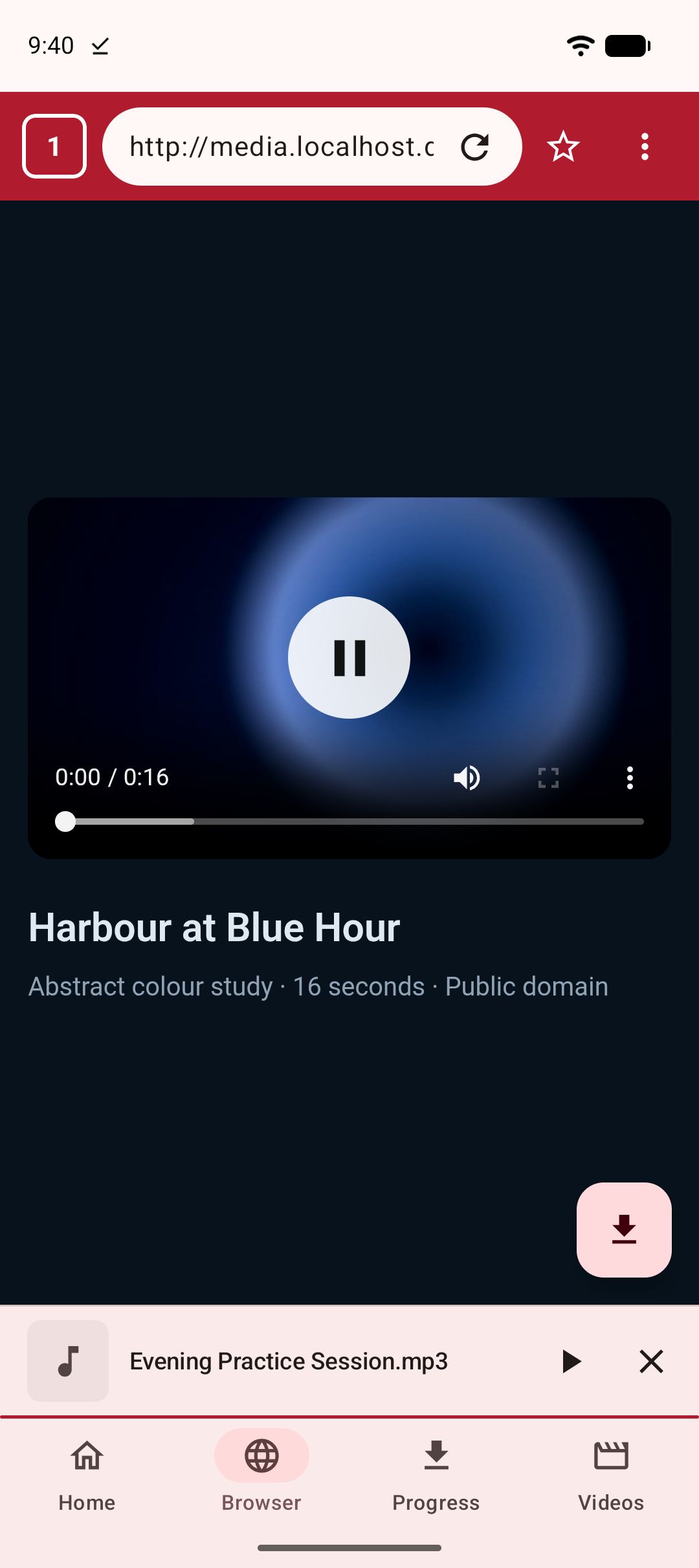
The Facebook flow is paste-first: copy a public video or reel link from the post’s share menu, paste it into Kite, and it lists every resolution the source offers — SD up to 4K where the source provides it — with container, codec and estimated size for each. Or pull the audio out as an MP3 with title and artist metadata embedded; Kite can also convert a video you have already saved. A playlist link is expanded and offered item by item, and subtitles can be embedded when the source has them. If you would rather browse than paste, the built-in browser spots playable media on the page and offers to save it. Beyond Facebook, Kite recognises media pages from TikTok, Instagram, X (formerly Twitter), Reddit, Vimeo, Twitch and Pinterest, plus a thousand or so other sites through its yt-dlp engine.
Downloads run up to three at once with live speed and ETA in the notification shade, pause and resume, keep running when you close the app, and can be held to Wi-Fi only or scheduled for later. A trim option saves just part of a video. Finished files land in a Kite folder that gallery and file apps can see, and in Kite’s library alongside the videos and music already on the phone. The player covers swipe gestures for brightness, volume and seeking, picture-in-picture, hold-for-double-speed and a queue of the videos saved alongside; saved MP3s keep playing with the screen off, with controls on the lock screen. There is also a Private Vault: PIN-locked, encrypted, hidden from the gallery, and everything in it stays on this device.
Two deliberate limits, stated up front. Kite does not touch certain large video and music platforms that Google Play policy does not allow downloader apps to touch; it deliberately excludes them. And Kite does not bypass copy protection of any kind: material protected by DRM is declined rather than downloaded. For a click-by-click walkthrough, see our step-by-step guide to downloading Facebook videos.
Seal
Seal is a free, open-source downloader (GPL-3.0) built on yt-dlp, the same extraction engine Kite uses. It is distributed through GitHub releases and F-Droid, not Google Play; the newest F-Droid build is 1.13.1, added in January 2026, and it requires Android 5.0 or newer (as of August 2026). Because the engine is yt-dlp, public Facebook links sit inside the same supported-sites list, commonly summarised as more than 1,000 sites.
Seal’s strengths cluster around audio and playlists. It embeds metadata and the video thumbnail into extracted audio files, downloads a whole playlist in one click, embeds subtitles into downloaded videos, and accepts custom yt-dlp command templates for people who know the engine’s flags. An embedded aria2c can serve as the external downloader, and the interface is Material Design 3 with dynamic colour.
Two honest notes. F-Droid flags one anti-feature: Seal relies on the GitHub API to check for and fetch yt-dlp engine updates. And its README does not advertise a built-in player or library — Seal downloads, and playback happens in whatever player you already use.
YTDLnis
YTDLnis is also free and open source (GPL v3.0), also built on yt-dlp, and claims downloads from more than 1,000 websites. It is distributed through GitHub, F-Droid, IzzyOnDroid and Uptodown — which its README lists as the only trusted sources — and it requires Android 7.0 or above. Development is active, with commits as recent as August 2026.
This is the power-user pick of the six. The advertised list is long: playlist processing that lets you edit every item separately, a download queue with scheduling by date and time, multiple simultaneous downloads, custom yt-dlp commands with a built-in terminal, cutting a download by timestamps, SponsorBlock handling, embedding of subtitles, metadata and chapters, a share-menu card that downloads without opening the app, and batch import of links from a .txt file. It even advertises cookie support for logging in with an account — the one advanced exception to the public-links rule in this roundup, and a feature to use only with your own account and your own content.
The trade-off is the same list read the other way: YTDLnis is dense, and it assumes you want the switches. If you would rather not meet a terminal inside a downloader, it is more app than you need.
Snaptube
Snaptube is distributed as an APK through third-party stores such as Uptodown rather than through Google Play (as of August 2026). The listed version is 7.63.0.76330710, dated 23 July 2026, on Android 5.0 and newer. Its listing describes a search-first downloader: type a name into the search box, pick a result, then choose format and quality from a popup — MP4 for video or MP3 for audio, with typical quality options of 320p, 480p, 720p and 1080p, and sometimes 4K. Facebook is on the claimed platform list alongside TikTok, Instagram, Vimeo and OK.ru, and the app advertises coverage of certain large video/music platforms that Google Play policy does not allow downloader apps to touch. An “Add Website” button lets you add custom video portals, though the editorial review does not guarantee functionality on user-added sites.
Settings cover a download-folder chooser, a maximum speed limit and a Wi-Fi-only option, and no user account is required. Two things to weigh before sideloading: the listing prices it simply as “Free” without stating how the app is monetised, and Uptodown’s editorial review notes that in some regions results and downloads only appear when using a VPN.
VidMate
VidMate is likewise distributed as an APK through third-party stores such as Uptodown rather than through Google Play (as of August 2026); the listed version is 6.0102, dated 22 April 2026, on Android 5.0 and newer. The flow is browser-like rather than search-first: a Sites tab holds shortcuts to more than a dozen video pages, and a floating red download bubble appears while a video plays. Output is MP3 or MP4, up to 4K on some platforms, with 720p and 1080p described as typical. Facebook, Instagram and TikTok are on the claimed list, and, like Snaptube, VidMate advertises coverage of certain large video/music platforms that Google Play policy does not allow downloader apps to touch.
It bundles more playback than most sideloaded downloaders: an integrated music player with custom playlists and a sleep timer, plus a Pop-Up mode that floats a video window over other apps. According to Uptodown’s editorial review, its Restricted Mode — which hides adult-content pages — is switched off by default. As with Snaptube, the listing says “Free” and does not state how the app is monetised.
Videoder
Videoder is distributed as an APK through third-party stores such as Uptodown rather than through Google Play (as of August 2026). Its listing describes a built-in search engine that combs multiple streaming video services, per-video quality choices from 240p to 1080p, and output in MP4, FLV and 3GP. Facebook and Vimeo are on the claimed list. MP3 is not among the listed formats, which makes Videoder the odd one out here if audio matters to you.
The detail that matters most is freshness: the newest Videoder build listed on Uptodown is version 14.4.2, dated August 2023 — roughly three years old as of August 2026, with no newer version shown. That is a fact from its listing, not a judgement. But downloader apps read pages that change often, so build dates carry more weight in this category than in most.
Side by side
Competitor rows summarise each app’s own listing or repository, as of August 2026.
| App | Where to get it | Price model | MP3 | Built-in player | Notes |
|---|---|---|---|---|---|
| Kite | Google Play | Free with ads | Yes, with title and artist tags | Yes: gestures, PiP, queue, background audio | Declines DRM-protected material |
| Seal | GitHub, F-Droid | Free, open source | Yes, with metadata and thumbnail | Not advertised | One-click playlist downloads |
| YTDLnis | GitHub, F-Droid, IzzyOnDroid, Uptodown | Free, open source | Yes | Not advertised | Deepest feature set; active in 2026 |
| Snaptube | APK via Uptodown | “Free”; monetisation not stated | Yes | Not stated | May need a VPN in some regions |
| VidMate | APK via Uptodown | “Free”; monetisation not stated | Yes | Music player, pop-up video | Restricted Mode off by default |
| Videoder | APK via Uptodown | “Free”; monetisation not stated | Not listed | Not stated | Newest listed build dated August 2023 |
Which one should you pick
If you want a Play-installed app that covers the whole loop — save, organise, play, lock away — that is the case we built Kite for: paste a link or browse, pick a resolution or an MP3, then use the library, the player and the Private Vault. Ads are the price, and we have said so plainly. Kite also competes in a wider field beyond Facebook, which we compare in our roundup of the best video downloader apps for Android.
If open source decides it for you, Seal is the simpler tool and YTDLnis the deeper one. Both ride the same yt-dlp engine, both are funded by donations, and both live outside Google Play, so updates come from GitHub or F-Droid.
Snaptube and VidMate are the established sideload names. Their listings describe capable downloaders — search-first in one, browser-like in the other — but weigh the unstated monetisation and the manual APK update path before choosing either. Videoder we would pass on for now: with an August 2023 build as the newest listed, there is no sign of the steady upkeep this category needs.
A lot of Facebook saving is really reel saving, and the habit transfers directly to Instagram; our guide to the best Instagram Reels downloaders covers that side. Whichever app you pick, the same principle applies: these are tools for personal use. Save only content you own or have permission to save, respect the terms of the sites you visit, and respect the rights of the people who made what you are watching.