A reel is easy to watch and awkward to keep. Instagram’s built-in options are limited and at the poster’s discretion, so the save you want is often not offered on the reel you want. Downloader apps take another route: hand one the public link of a reel and it reads what that page plays, then writes the file to your phone. This guide compares five Android options — Kite: Video Downloader, Seal, YTDLnis, Snaptube and VidMate — on how each installs, what it produces, and what happens next. Kite is our app, so read the verdicts here as our honest, sourced case rather than a neutral review. For the steps on one reel, our guide to saving Instagram Reels walks through the paste flow.
How we chose
Every claim about another app here comes from that app’s own website, README or store listing, checked on 11 August 2026 and dated where it matters. No rumours, no guessed numbers, no star ratings.
Four questions decide the order:
- How does it install, and how does it update afterwards?
- What comes out — resolution choice, MP4, MP3, subtitles?
- How many taps does one reel take, and what about twenty?
- Is there a library, a player, somewhere private to keep files?
One limit applies to all five. These tools read the page a reel lives on. If the account is private there is no public page to read, and the save fails instead of producing a file; stories, close-friends posts and clips sent in a direct message sit outside the same boundary. YTDLnis alone documents a way past that: its README describes cookie support, so you sign in with your own account and the engine sees what you see (as of August 2026).
Kite: Video Downloader
Kite: Video Downloader is a native Android app on Google Play and needs Android 7.0 or newer (as of August 2026). It is free and supported by ads — a banner and the occasional interstitial through third-party partners — with no account and no subscription. Every other app here lives outside Google Play.
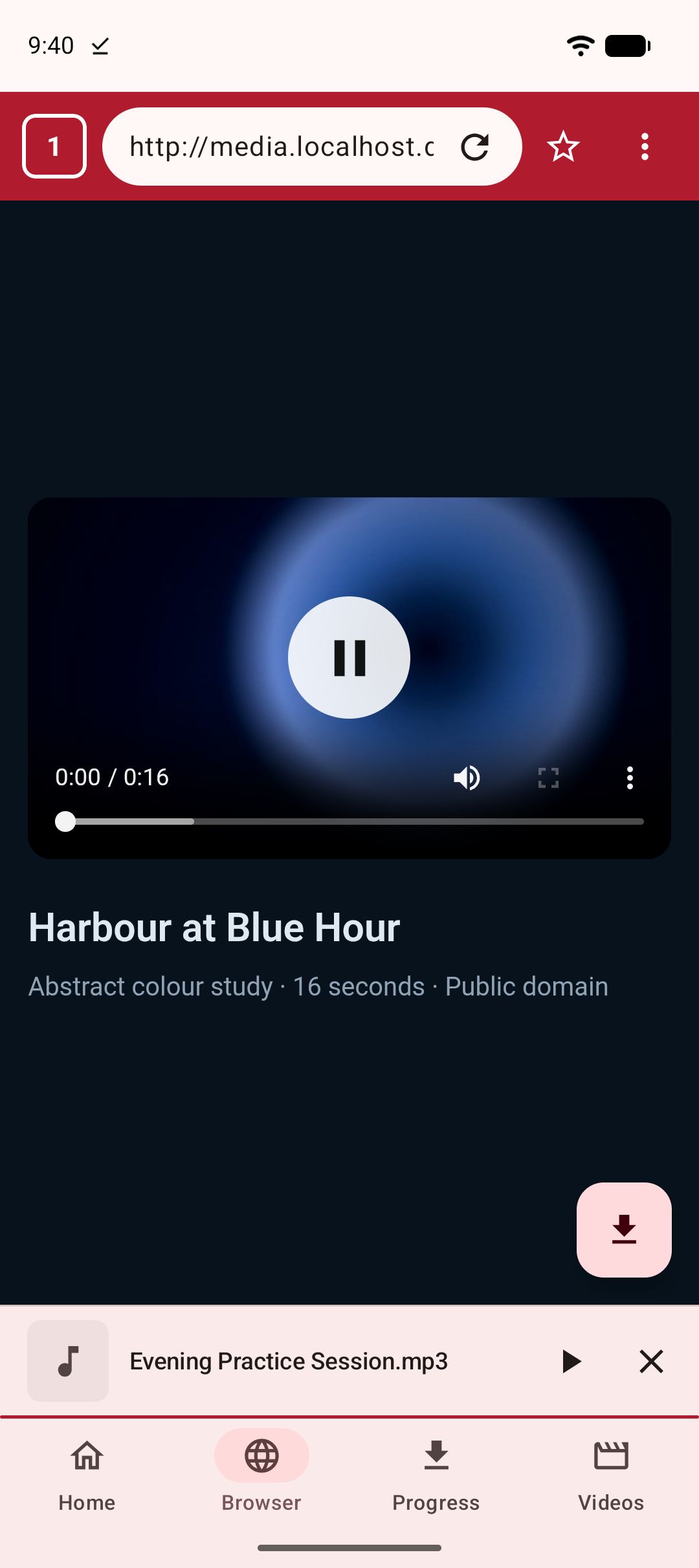
There are two ways into a reel. Paste is the short one: copy the link from Instagram’s share sheet, open Kite, paste it, and the app reads the page with yt-dlp running entirely on the phone. It lists every resolution the source offers, each with container, codec and estimated size, so you choose rather than accept a default, and the same screen pulls the audio out as an MP3 with title and artist metadata embedded. The second way is the built-in browser, which spots playable media on the pages you open and offers to save it. Kite also recognises TikTok, X (formerly Twitter), Reddit, Facebook, Vimeo, Twitch and Pinterest, plus a thousand or so other sites.
After the tap, the download manager takes over: three downloads at once, live speed and time remaining in the notification shade, pause and resume, downloads that survive closing the app, a Wi-Fi-only option, scheduling, and a trim range for saving part of a clip. Finished files land in a Kite folder the gallery can see and in a searchable library, and open in a player with gestures, picture-in-picture and a queue. Saved MP3s keep playing with the screen off. A PIN-locked, encrypted Private Vault hides chosen files from the gallery, and everything in it stays on this device.
Two limits. Kite deliberately excludes certain large video and music platforms that Google Play policy does not allow downloader apps to touch; Instagram is not affected. And Kite does not bypass copy protection of any kind: material protected by DRM is declined rather than downloaded.
Seal
Seal is a free, open-source Android downloader built on yt-dlp, distributed through GitHub releases and F-Droid (as of August 2026). The newest F-Droid build is 1.13.1, added in January 2026, and it needs Android 5.0 or newer. The project says it will always be free and open source, funded by donations.
Its README describes coverage as the sites yt-dlp supports rather than a named platform list, so Instagram is not called out the way a marketing page would; the engine underneath is the one Kite uses too. What Seal documents well is the finishing: metadata and the video thumbnail embedded into extracted audio, subtitles embedded into saved videos, a whole playlist downloaded in one click, an embedded aria2c as the external downloader, and custom yt-dlp command templates (as of August 2026).
The trade-off is distribution: an APK from GitHub or adding F-Droid, and F-Droid notes that Seal depends on the GitHub API to fetch yt-dlp engine updates — a dependency it flags as an anti-feature (as of August 2026). If sideloading does not put you off, Seal is the tidiest open-source pick here.
YTDLnis
YTDLnis is a free, open-source downloader that also uses yt-dlp, runs on Android 7.0 and above, and comes from GitHub, F-Droid, IzzyOnDroid or Uptodown — the only trusted sources per its README (as of August 2026). Development is active, with commits as recent as August 2026.
It is the deepest app here. Its README describes playlist processing where every item can be edited separately and switched between audio, video or a custom command; a queue with scheduling by date and time; several downloads at once; cutting a download by timestamps or chapters; SponsorBlock handling; embedded subtitles, metadata and chapters; a share-menu card that saves a link without opening the app; batch import from a .txt file; and a terminal for custom yt-dlp commands. Cookie support belongs in the same list: sign in with your own account to reach material a logged-out page will not show.
The price is the sideload plus a learning curve: the options assume you know what a yt-dlp template is. If you save reels in batches and do not mind a README, that is the point. Our wider round-up of Android downloaders sets it beside the rest.
Snaptube
Snaptube is distributed as an APK through third-party stores such as Uptodown rather than through Google Play (as of August 2026). Its listing prices it as free under a proprietary licence and does not state how the app is monetised. The current build is 7.63.0.76330710, dated 23 July 2026, for Android 5.0 and newer.
Instagram is named on its coverage list, next to TikTok, Facebook, Vimeo and OK.ru, and it also advertises coverage of certain large video and music platforms that Google Play policy does not allow downloader apps to touch. The flow is search-first: type a video or channel name, then pick format and quality per result from a popup. Output is MP4 or MP3, with typical options of 320p, 480p, 720p and 1080p, sometimes 4K. Settings include a download-folder chooser, a maximum speed limit and a Wi-Fi-only option, and no account is required (as of August 2026).
For reels that shape is an awkward fit — a reel is a link someone sends you, not a title you look up — and the listing does not describe a paste-a-link route. Updates are manual because the install is manual, and Uptodown’s review says results and downloads appear only over a VPN in some regions.
VidMate
VidMate is also an APK through third-party stores such as Uptodown rather than Google Play (as of August 2026), listed as free under a proprietary licence with no statement of how it is monetised. The current build is 6.0102, dated April 2026, for Android 5.0 and newer.
Its shape is a Sites tab: shortcuts to more than a dozen video pages, with Instagram among the platforms it names alongside Facebook and TikTok. Open a page, play a video, and a floating red download bubble appears; tapping it saves MP3 or MP4, with 720p and 1080p typical and up to 4K on some platforms (as of August 2026). Because that runs inside its own browser, you land on the public page and the bubble does the rest.
The extras are the draw: a music player with playlists and a sleep timer, and a Pop-Up mode that plays video in a floating window over other apps. One setting is worth knowing before you hand the phone to someone else: per Uptodown’s editorial review, VidMate’s Restricted Mode, which hides adult-content pages and videos, is off by default. VidMate also advertises coverage of certain large video and music platforms that Google Play policy does not allow downloader apps to touch.
Side by side
| App | Where to get it | Price model | MP3 | Built-in player | Notes |
|---|---|---|---|---|---|
| Kite: Video Downloader | Google Play | Free with ads; no account | Yes, with metadata | Yes — gestures, PiP, queue | Instagram named; browser, scheduling, vault |
| Seal | GitHub, F-Droid | Free, open source | Yes, with metadata and thumbnail | Not advertised | Playlists, subtitles, yt-dlp templates |
| YTDLnis | GitHub, F-Droid, IzzyOnDroid, Uptodown | Free, open source | Yes | Not advertised | Queue, scheduling, cookie sign-in, terminal |
| Snaptube | APK via Uptodown | Free; monetisation not stated | Yes | Not advertised | Search-first; VPN needed in some regions |
| VidMate | APK via Uptodown | Free; monetisation not stated | Yes | Music player and pop-up video | Sites grid and download bubble |
Which one should you pick
If reels are a regular habit and you are on Android, a Google Play install removes the two chores that define the rest of this list: sideload prompts and manual updates. That is the case for Kite — paste or browse into a public reel page, a resolution list instead of a fixed default, MP3 extraction with metadata, background downloads, a library and player, and a PIN-locked vault for files you would rather keep out of the gallery. It is free with ads, which is the honest trade for no subscription.
If open source matters more than the install path, the two open-source apps differ in temperament. Seal is the calm one: playlists, embedded subtitles and thumbnails, templates when you want them. YTDLnis is the toolbox: queues, scheduling, per-item playlist editing, SponsorBlock, cookie sign-in and a terminal. Both ask you to fetch an APK and watch for updates. Of the two long-standing sideloads, VidMate’s browser flow fits a reel better than Snaptube’s search box does.
Whichever you choose, the ground rules do not change. These are tools for personal use: save only content you own or have permission to save, respect the terms of the sites you visit, and respect the rights of the people who made what you are watching. The same tests carry over to other short-video platforms — our TikTok downloader round-up applies them there.