To save a Pinterest video on Android, copy the pin’s link, paste it into Kite: Video Downloader, and pick a quality from the list that appears. The video arrives as an ordinary file in your gallery a moment later, with no account and no sign-up on the way.
Pinterest itself does not really do this. Its own menu offers a download for some image pins, while the usual action on a video pin is Save, which re-pins it to one of your boards — the video stays inside your Pinterest account rather than becoming a file on your phone. This guide covers the gap, plus the part nobody explains: pins are not all the same thing, and what you get back depends on what the pin’s page serves. It works on public pins only, which is the honest limit to keep in mind before you start.
What you need
- Kite: Video Downloader from Google Play, on Android 7.0 or newer. There is no account and no sign-up. It is free and supported by ads — a banner and the occasional interstitial — with no subscription.
- The pin you want, open in the Pinterest app or in a mobile browser.
- A few minutes, and enough free storage for the file.
That is the whole shopping list. If you are still choosing an app, our roundup of the best video downloader apps for Android compares the main options side by side.
Step by step
-
Copy the pin link. Open the pin on its own screen — the pin, not the board it sits on. Tap the share icon and choose Copy link. Pinterest hands you either a short pin.it link or a full pinterest.com pin address, and both work in Kite, so there is no need to expand one into the other. If you are in a mobile browser instead, copying the address bar is fine as long as the address has
/pin/in it. -
Open Kite and paste. Tap Paste on the Home tab and the address goes into the box; with Auto-paste links switched on in Settings, it is already sitting there when the app opens. Kite then works out what is on the page. The same habit covers TikTok, Instagram, X (formerly Twitter), Reddit, Facebook, Vimeo, Twitch and a thousand or so other sites, because the extraction engine is yt-dlp and it runs entirely on the phone.
-
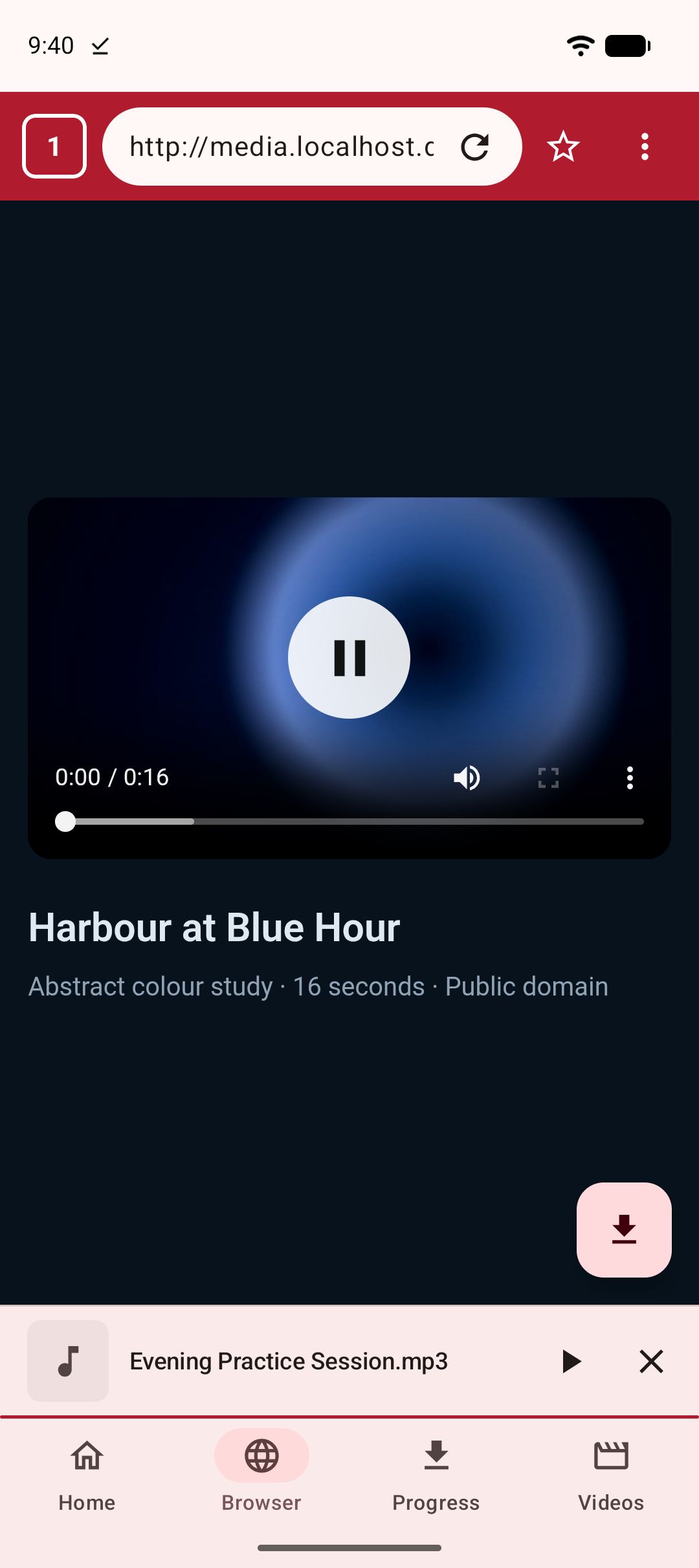
Or use the built-in browser instead. Kite has its own browser tab that spots playable media on a page and offers to save it. Browse to the pin there, let the page load and play for a second, then tap the save button when it appears. This is the route to use when copying a link is awkward, or when a pin sends you off to another site.
-
Pick a resolution, or take the audio. Kite lists every version the source offers, with container, codec and an estimated size beside each entry, from SD up to 4K where the source has it. Pinterest video pins are often short and modest in resolution, so this list is usually a handful of entries rather than a long menu. Pick the one you want. If you only care about the sound, choose MP3 and Kite pulls the audio out on its own, with title and artist metadata embedded.
-
Let it download in the background. Progress moves to the notification shade with live speed and time remaining, and pause, resume and cancel sit there too. Downloads keep running in the background and survive closing the app, an interrupted one resumes rather than starting over, and up to three run at once. There is a Wi-Fi-only option if you would rather not spend mobile data, scheduled downloads if you want to queue things for later, and a trim range if you only want part of a clip.
-
Find it in the library. Finished files appear on the Videos tab, alongside the video and music already on your phone, grouped by folder and searchable. They also land in a Kite folder that your gallery and file apps can see, so the pin behaves like every other video on the device. Tap to play it in place: swipe for brightness, volume and seeking, hold for double speed, skip in ten-second steps, or send it to picture-in-picture. If it is something you would rather not have showing in the gallery, move it into the Private Vault, where files are PIN-locked, encrypted and hidden from the gallery, and stay on this device.
Which pins hold a video, and which do not
Sorting the pin types first saves most of the confusion.
Video pins are the simple case: someone uploaded a video, the pin’s page serves that video, and it downloads like any other media page.
Idea pins hold several pages that can mix video, stills and text. Kite lists what that pin’s page serves, so open the format sheet and pick from what is there rather than expecting a fixed result. Sometimes that is one video, sometimes it is less than the pin shows on screen.
Image pins have no video in them at all, so there is nothing for a video downloader to find. Pinterest’s own menu already offers a download on some of these.
Link pins are previews that point somewhere else, which is covered below.
One last note: some pins loop silently by design. If there is no sound on Pinterest, there is no sound to save.
If it does not work
The pin links out to another site
Many pins are really a signpost — a preview image with a link to a blog, a shop or a video hosted elsewhere. Open the destination and use that address instead. Kite extracts from the destination whenever it is a public media page, which covers a thousand or so sites. Two things it will not do: certain large video and music platforms that Google Play policy does not allow downloader apps to touch are deliberately excluded, and Kite does not bypass copy protection of any kind, so material protected by DRM is declined rather than downloaded.
The board or account is secret
Kite reads the public page behind a link, the same page a logged-out visitor would see. A secret board, a private account or a deleted pin has no public page, so extraction reports an error instead of saving a file. There is no setting that changes this. Public pins only.
You copied the board link, not the pin link
This is the most common miss. A board address ends in the board name and lists many pins; a pin address contains /pin/ and points at one item. If Kite says it cannot find media, check the address you pasted before anything else, and re-copy from the pin’s own share button.
Wi-Fi-only is on, or you are offline
If a download sits waiting instead of moving, check whether the Wi-Fi-only option is switched on while you are on mobile data. Turn it off, or connect to Wi-Fi, and the queue picks up where it left off. A dropped connection mid-download is not fatal either — the task resumes rather than restarting.
The legal bit
Kite is a tool for personal use. Save only content you own or have permission to save, respect the terms of the sites you visit, and respect the rights of the people who made what you are watching. A saved pin is for your own offline viewing, not for re-uploading somewhere else with the credit filed off.
The same rules and the same flow apply on other platforms: see our guides to saving Instagram reels and downloading TikTok videos without the watermark.