Seal and Kite: Video Downloader are two of the easiest ways to put yt-dlp — the open-source extraction engine — to work on an Android phone, and the one-line verdict is straightforward. Seal is the better fit if you want a no-ads, open-source downloader installed from F-Droid or a GitHub APK, and you like having the engine’s own options within reach. Kite is the better fit if you want a Google Play install that updates itself, a browser that spots media on pages, a proper built-in player, and a PIN-locked vault — with ads as the trade-off.
Kite is our app, so read the verdicts here as our honest, sourced case rather than a neutral review. Seal is genuinely good software, and this page treats it that way. Every claim about Seal below comes from its own GitHub README or its F-Droid listing, is dated as of August 2026, and the exact pages appear in the sources at the end.
Because both apps use the same engine, the question is rarely which one reaches more sites. The real differences are distribution, money and scope: how the app gets onto your phone, who pays for it, and what happens to a file after it is saved. That is where the two part ways.
At a glance
| Seal | Kite: Video Downloader | |
|---|---|---|
| Distribution | GitHub releases and F-Droid; not on Google Play | Google Play |
| Price model | Free and open source, donation-funded | Free with ads |
| Minimum Android | 5.0 | 7.0 |
| MP3 extraction | Yes — audio extraction with metadata and thumbnail embedding | Yes |
| Built-in browser or site search | Not advertised | Yes, media-sniffing browser |
| Player | Not the focus of its listing | Yes: PiP, gestures, queue, background MP3 |
| Private vault | Not advertised | Yes, PIN-locked and encrypted |
| Account required | Not stated on its listing | No account |
| DRM stance | Not stated on its listing | Declines DRM-protected material |
Seal’s column is filled only from its README and F-Droid listing. Where those pages are silent, the row says so rather than guessing.
What Seal does
Seal is a free, open-source Android downloader built on yt-dlp, distributed through GitHub releases and F-Droid (as of August 2026). It is licensed under GPL-3.0, and its README is direct about the model: “Seal will be always free and open source for everyone”, with sponsorships and donations invited instead. The newest build on F-Droid is 1.13.1, added in January 2026, and it requires Android 5.0 or newer. GitHub carries stable and pre-release APKs, with the arm64-v8a build recommended.
The feature list, per the README and the F-Droid listing, is aimed squarely at download quality. Seal downloads video and audio from the sites yt-dlp supports — the README links the engine’s supported-sites list, commonly summarised as 1,000+ sites. It embeds metadata and the video thumbnail into extracted audio files, embeds subtitles into downloaded videos, and downloads a whole playlist in one click. An embedded aria2c can be used as the external downloader, and power users get custom yt-dlp command templates, with downloads and templates managed in the app. The interface is Material Design 3 with dynamic colour, and the app is written in Kotlin as a single-activity Compose app.
Two registrar-style notes. F-Droid flags one anti-feature: the app relies on the GitHub API to check for and download yt-dlp engine updates (as of August 2026) — a disclosure about where the update check goes, not a defect. And Seal’s README prohibits third parties from using its name for downloader apps or derivatives, so GitHub and F-Droid are the places to get the genuine project.
What Kite: Video Downloader does
Kite is a native Android downloader distributed through Google Play, requiring Android 7.0 or newer, with no account and no sign-up. Paste a link and Kite works out what is on the page: it lists every resolution the source offers, from SD up to 4K with container, codec and estimated size, or pulls the audio out as an MP3 with title and artist metadata embedded. It can also convert a video you have already saved into an MP3. The engine is the same yt-dlp, running entirely on the phone, and it recognises media pages from TikTok, Instagram, X (formerly Twitter), Reddit, Facebook, Vimeo, Twitch and Pinterest, plus a thousand or so other sites.
Around that engine sits more app than Seal’s listing describes. A built-in browser spots playable media on pages and offers to save it. The download manager runs up to three downloads at once, shows live speed and ETA in the notification shade, and supports pause, resume, scheduling and a Wi-Fi-only option; downloads keep running in the background, survive closing the app, and interrupted ones resume. Saved files land in a library next to the phone’s existing video and music, grouped by folder and searchable, and they open in a built-in player. There is also a Private Vault: PIN-locked, encrypted, hidden from the gallery, and stored on this device only.
Now the honest negatives. Kite is supported by ads — banners and the occasional interstitial via third-party partners — and there is no paid tier to switch them off. Kite also deliberately excludes certain large video and music platforms that Google Play policy does not allow downloader apps to touch; that is a policy choice, and it will matter to some readers. Finally, Kite does not bypass copy protection of any kind: material protected by DRM is declined rather than downloaded.
Feature by feature
Downloading and formats
Site coverage is close to a tie by construction: both apps run yt-dlp on the phone, so both inherit its supported-sites list. Seal’s README leans into what happens to the file: metadata and thumbnails embedded into audio, subtitles embedded into video, one-click playlist downloads, an aria2c option, and custom yt-dlp command templates for people who already know the engine’s flags (as of August 2026). Kite covers similar ground in a different shape: a quality picker for every pasted link, MP3 extraction with metadata — our guide to turning videos into MP3s on Android covers this in detail — subtitle embedding, a trim range to save part of a video, scheduled downloads and a Wi-Fi-only option.
The philosophical split shows here. Seal exposes the engine: if you want to pass your own yt-dlp arguments, it hands you a template box. Kite wraps the engine: there is no command box, and every option is a button. Playlists show the same split. Seal advertises downloading a whole playlist in one click; Kite expands a playlist link and offers each item individually, which is convenient for cherry-picking a few entries and slower for archiving a long list.
Player
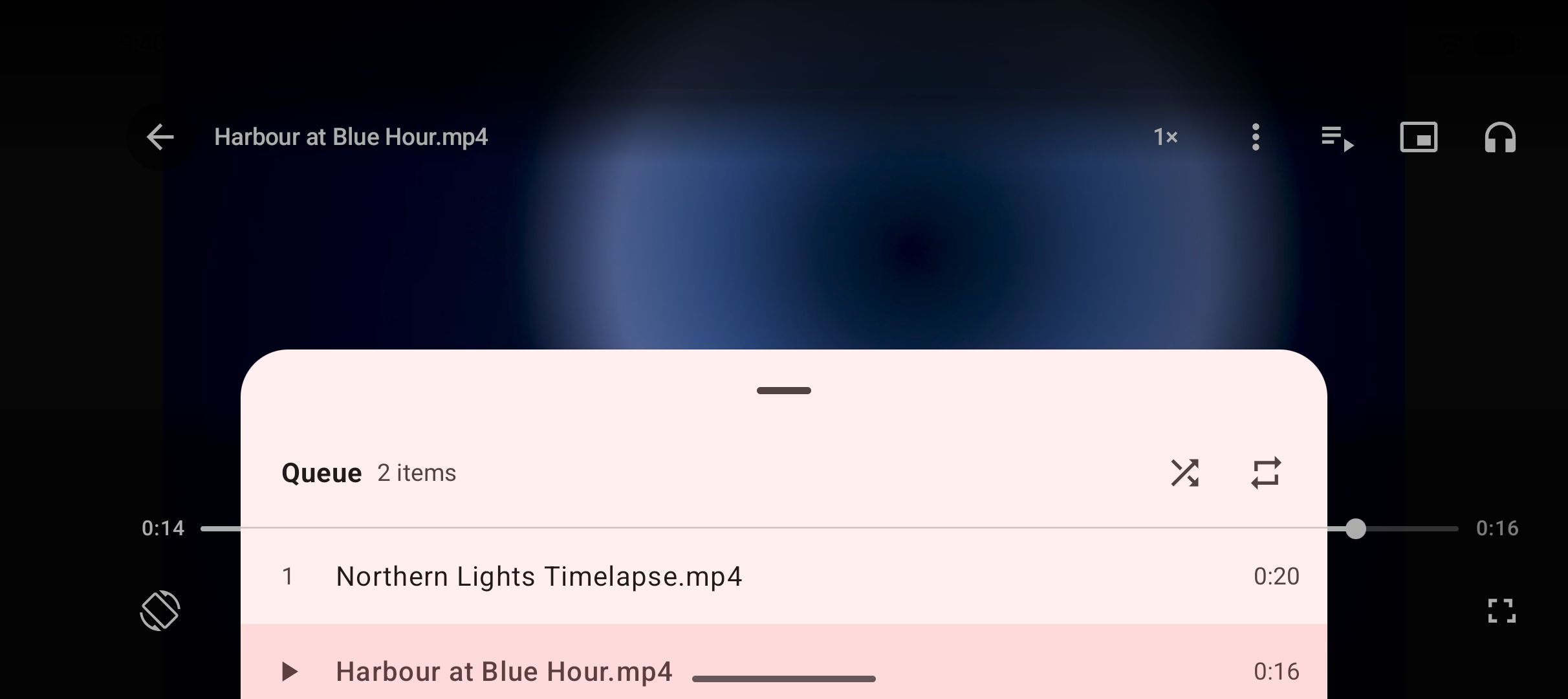
This is the clearest scope difference. A player is not the focus of Seal’s listing — its README describes downloading, embedding and templates, and leaves playback to whatever app you already use. That is a reasonable design for a focused tool; it is simply a narrower scope. Kite is built around watching as much as saving: swipe gestures for brightness, volume and seeking, hold for double speed, ten-second skips, picture-in-picture, and a queue of the videos saved alongside the one playing. Saved MP3s behave like music: they keep playing with the screen off, with controls on the lock screen, in the notification shade and on Bluetooth devices.
Privacy and accounts
Seal’s strongest privacy argument is structural: the code is public under GPL-3.0, so anyone who wants to check what the app does can read it, and F-Droid is a distribution route many privacy-minded users already trust. Its pages do not mention an account requirement.
Kite requires no account either, and there is no server behind it: no Kite server, no analytics of Kite’s own, and downloads, history and settings stay on the device. The trade-off to state plainly is the ads: Kite’s ad partners receive the device advertising ID, IP address and basic device details, as its privacy policy sets out. Files you would rather keep out of the gallery can go into the Private Vault, which is PIN-locked, encrypted and stays on this device.
Ads and price
Both apps are free; who pays differs. Seal is donation-funded and carries no ads: its README states the app will always be free and open source, and invites sponsorships instead (as of August 2026). Kite is free with ads — banners and occasional interstitials from third-party partners — and nothing is paywalled: every feature, including the vault and the player, is in the one free version. Which model you prefer is a genuine preference: a donation link and no ads, or ads and a store install. Neither app charges money for downloading.
Distribution and updates
Seal is installed from GitHub releases — stable and pre-release APKs, with the arm64-v8a build recommended — or from F-Droid, and it is not on Google Play: no Play listing appears among the official channels in its README (as of August 2026). Practically, that means updates arrive when F-Droid picks up a new build or when you fetch a fresh APK from GitHub, and a GitHub APK install involves Android’s usual unknown-sources confirmation. The newest F-Droid build, 1.13.1, was added in January 2026. Engine updates are handled separately from app updates: F-Droid’s flagged anti-feature notes that the app relies on the GitHub API to check for and fetch yt-dlp updates.
Kite is installed and updated through Google Play like an ordinary app: one version, store updates, Android 7.0 or newer. If the open-source route appeals to you but you want deeper batch tooling, read our YTDLnis vs Kite comparison next — YTDLnis is another open-source yt-dlp downloader with the same GitHub-and-F-Droid install story. For the wider field beyond these two, our roundup of the best video downloader apps for Android lines everything up in one place.
Which should you use
Choose Seal if the open-source model is the point: no ads, inspectable code, donations instead of ads, and installs through F-Droid or GitHub that you are happy to manage yourself. It is also the stronger pick for one-click playlist archiving, for custom yt-dlp command templates, and for phones on Android 5 or 6, which sit below Kite’s 7.0 floor.
Choose Kite if you want the downloader to come with the rest of the workflow: a media-sniffing browser for pages where copying a link is awkward, a player with gestures and picture-in-picture so saved videos never leave the app, background MP3 playback, and a PIN-locked, encrypted vault for files that should not sit in the gallery. The Play install matters too — updates arrive on their own, with no APK handling at all.
One carve-out matters more than features. Kite deliberately excludes certain large video and music platforms that Google Play policy does not allow downloader apps to touch. If those platforms are mainly what you want to save from, Kite is the wrong choice, and Seal’s coverage claim — the sites yt-dlp supports — is the fact that decides it.
Nothing stops you keeping both installed; they do different jobs well. Whichever you use, treat it as a tool for personal use: save only content you own or have permission to save, respect the terms of the sites you visit, and respect the rights of the people who made what you are watching.