A video downloader that worked last month and fails today is not usually broken in the way an app is normally broken. Nothing crashed. The site it was reading from changed, and the app did not. That one cause explains most “not working” complaints in this category, but it is not the only one, and the fix depends on which you have. This guide runs through the seven reasons downloads stop on Android, most common first, with the check and the fix for each. Where we mention our own app, Kite: Video Downloader, we say so. Kite is our app, so treat those lines as our honest case rather than a neutral review. Every claim about another app comes from its own listing and is dated.
How a downloader works, in one paragraph
A downloader app does not have a copy of the video. It reads the public page behind the link you gave it, works out where the actual media stream is and what versions exist, then fetches that stream and writes a file. The part that reads the page is called an extractor, and there is one per site, because every site publishes its video differently. That design is why downloaders are so useful and why they are so fragile: the extractor only works for as long as the site keeps doing what the extractor expects.
Reason 1: the site changed and your app did not
This is extractor rot. Sites change their page structure, their stream formats and their delivery methods constantly, sometimes deliberately and often as a side effect of ordinary redesigns. Each change can break the extractor for that site until someone updates it. An app that stops receiving updates keeps asking the site questions in last year’s way; the site answers in this year’s way; the download fails with an error or an empty result.
The pace is visible in the open-source engine that many downloaders are built on. yt-dlp, the extraction engine Kite uses, running on the phone, shipped releases on 9 June, 4 July and 19 August 2026, per its GitHub releases page as of September 2026. That cadence is not a sign of a troubled project. It is what keeping up with hundreds of sites looks like.
The dated example on the other side: the newest Videoder build listed on Uptodown is version 14.4.2, dated August 2023, with no newer release shown as of August 2026. Whether development continues privately is not something the listing states, so we make no claim about that. We do say that a build frozen in 2023 is asking sites 2023-shaped questions. We compared what that means day to day in our Videoder vs Kite comparison.
Check: does the same link fail for one site only, while other sites still work in the same app? Then it is almost certainly this.
Fix: update the app. If the app has no update to offer, because the last version is old or the store page has gone quiet, the extractor is not coming back, and the honest answer is a maintained replacement. Our list of Videoder alternatives is built around exactly that question.
Reason 2: the link is not the video
The second most common failure has nothing to do with the app. The address you pasted points at something other than the video: a share wrapper that redirects, a post that contains the video rather than the video itself, a Pinterest board rather than a pin, a profile rather than a clip. The extractor reads the page it was given, finds no media, and says so.
Check: open the link in a normal browser. Does it land on the video’s own page, with the video playing? If it lands on a feed, a profile or a redirect page, that is your problem.
Fix: go back into the source app, open the video on its own screen, and use the share button there to copy the link. Our platform guides show where the right share button is for each site; Facebook is the classic case, because a post link and a video link look alike and only one of them works.
Reason 3: the page needs a login
A downloader reads the public page, the page a logged-out visitor sees. A friends-only post, a private account, a closed group, a subscriber-only broadcast or an age-gated video shows that visitor a login prompt, not a video. There is no stream to find, so extraction ends with an error. Nothing you set in the app changes what the site publishes.
Check: open the link in a private browsing tab with no session for that site. Login wall? That is the answer.
Fix: for content you can legitimately see when signed in, an app with a built-in browser can help. Sign in inside that browser, play the video, and let the browser offer to save what the page actually plays. Kite’s browser works that way. For content that is simply private to someone else, there is no fix, and there should not be.
Reason 4: the video is not a file yet
A live stream is a broadcast in progress. There is no finished file to save until it ends and the platform posts a recording. Some platforms keep recordings only briefly, and some streamers switch them off entirely.
Check: is it live? Fix: wait for the recording, then save that. If the recording never appears, a clip made during the stream may be all that remains.
Reason 5: a setting is holding the download
The download starts, sits at zero, and never moves. Nothing is wrong with the extractor at all.
- Wi-Fi-only is switched on and you are on mobile data. The queue waits for Wi-Fi. Connect, or turn the option off.
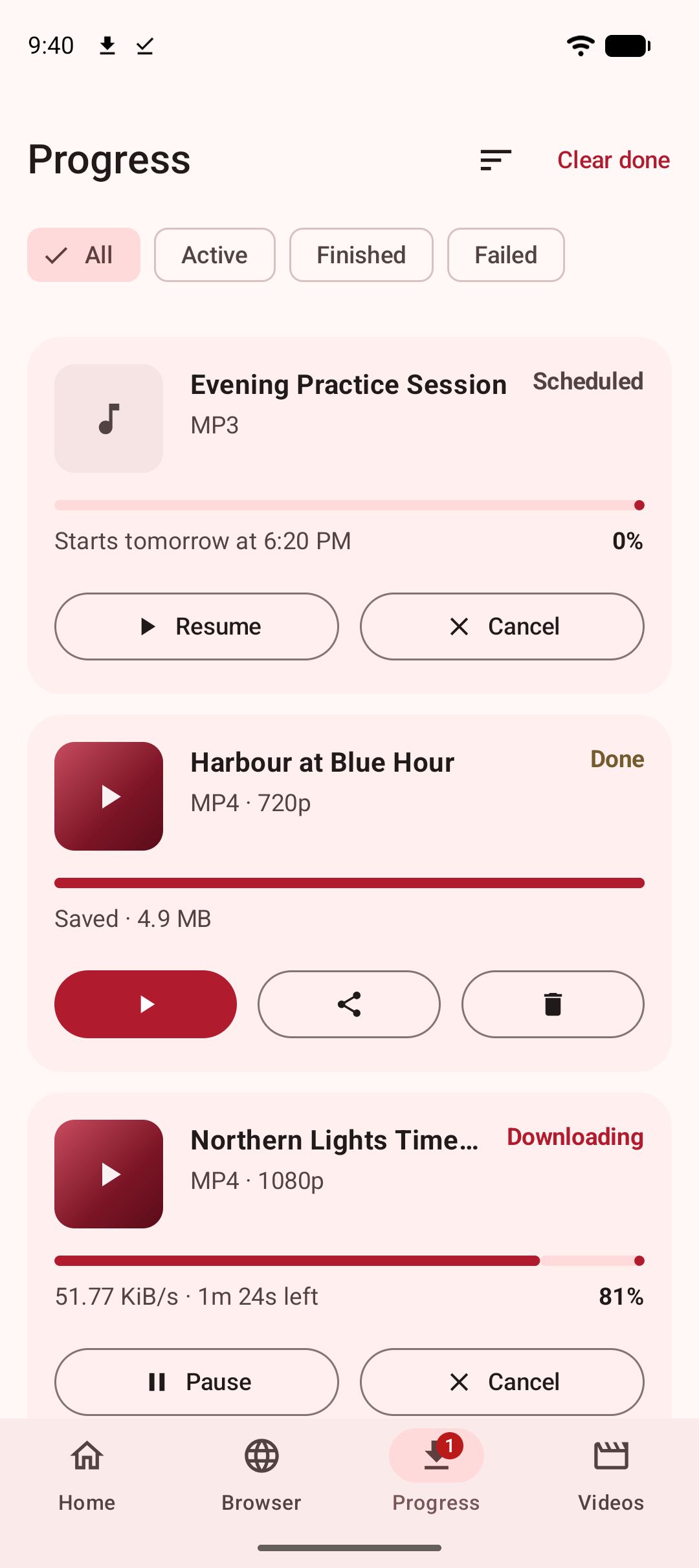
- The download is scheduled for a later time and is doing what you asked.
- Storage is full, or nearly. A download that stalls near the end is usually this. Long broadcasts at 1080p are large; check the estimated size before you start.
- A battery saver killed the download. Some phones stop background work aggressively. A well-built downloader runs as a foreground service with a notification, which is what lets Android know the work is wanted. In Kite, downloads keep running in the background, survive closing the app, and resume from where they stopped after an interruption rather than starting over, so a stall here is nearly always one of the first three items.
Reason 6: the web tool went away
If your “downloader” is a website you paste links into, it can vanish, change domains, move behind a wall of ads, or start serving a notice instead of a form. Web tools live on someone else’s server and someone else’s decisions. An installed app that reads pages on your phone does not depend on a third-party server being up, though it still depends on updates, as Reason 1 explains.
Reason 7: it is excluded on purpose
Two boundaries are not failures. Kite does not bypass copy protection of any kind: material protected by DRM is declined rather than downloaded, and it says so rather than saving a broken file. And there are certain large video and music platforms that Google Play policy does not allow downloader apps to touch; Kite deliberately excludes them. If an app is on Google Play, expect the same line. Sideloaded downloaders draw it differently, which is their business model and a large part of why they are not on Play.
Working out which one you have
Run these in order; the first “yes” is your answer.
- Does the link open the video’s own page in a normal browser? No: Reason 2.
- Does it open in a private tab with no login? No: Reason 3.
- Is it live? Yes: Reason 4.
- Does the download start, then sit still? Yes: Reason 5.
- Do other sites still work in the same app? Yes: Reason 1, for that site. No: Reason 1, for the app, or Reason 6 if it is a web tool.
- Is the material DRM-protected, or on an excluded platform? Yes: Reason 7.
If it is time to switch
An app that has stopped receiving updates will not fix itself, and reinstalling it changes nothing; you get the same frozen extractor back. The properties to look for in a replacement are the ones this page is really about: an active update path, so extractors keep pace with the sites; a clear statement of what it will and will not touch; and an install route you can trust.
Kite is our case for that. It is on Google Play for Android 7.0 and newer, so it installs and updates like an ordinary app, with no APK handling. It is built on yt-dlp, running on the phone, and recognises media pages from TikTok, Instagram, X (formerly Twitter), Reddit, Facebook, Vimeo, Twitch and Pinterest, plus a thousand or so other sites. Paste a link and it lists every resolution the source offers with container, codec and estimated size, or pulls the audio out as an MP3 with title and artist metadata. A built-in browser spots playable media on pages, downloads run in the background with pause, resume, scheduling and a Wi-Fi-only option, and saved files open in a player with picture-in-picture and background audio. It is free and supported by ads, a banner and the occasional interstitial, with no account and no sign-up. Its honest limits are the two in Reason 7. For the wider field, our roundup of Android video downloader apps compares eight of them side by side, and if you are new to all of it, start with our complete guide to downloading videos on Android.
Whichever app you end up with, the ground rules are the same. These are tools for personal use: save only content you own or have permission to save, respect the terms of the sites you visit, and respect the rights of the people who made what you are watching.