Snaptube and Kite: Video Downloader are both free Android downloaders, but they are built for different people. Snaptube suits someone who wants to search for media inside the app itself, pick a quality per result, and does not mind installing and updating an APK by hand. Kite suits someone who starts from a copied link or an in-app browser, wants the install and every update to come through Google Play, and cares about what happens after the download — playback, background audio and private storage.
One thing to know before the comparison: Kite is our app, so read the verdicts here as our honest, sourced case rather than a neutral review. Every claim about Snaptube comes from its Uptodown listing and Uptodown’s editorial review, is dated as of August 2026, and the pages are cited in the sources at the end. Kite’s claims come from its own site and its Google Play listing, dated the same way.
The overlap between the two is real. Both save video as MP4 and audio as MP3, both work without an account, and both list TikTok among their covered sites. The differences sit in three places: how you find media, where each app comes from, and what each one does once the file is on your phone.
At a glance
| Snaptube | Kite: Video Downloader | |
|---|---|---|
| Distribution | APK via third-party stores such as Uptodown; not on Google Play | Google Play |
| Price model | Listed as free; how it is monetised is not stated on its listing | Free with ads |
| Minimum Android | 5.0 | 7.0 |
| MP3 extraction | Yes | Yes |
| Built-in browser or site search | Search box, plus an Add Website button for custom portals | Yes, media-sniffing browser |
| Player | Not stated on its listing | Yes: PiP, gestures, queue, background MP3 |
| Private vault | Not advertised | Yes, PIN-locked and encrypted |
| Account required | No account | No account |
| DRM stance | Not stated on its listing | Declines DRM-protected material |
Where a Snaptube cell reads “not stated on its listing”, that is exactly what it means: the Uptodown pages neither confirm nor deny the feature, and we would rather record silence than guess.
What Snaptube does
Snaptube’s Uptodown listing describes a search-first downloader with MP4 and MP3 output and quality options that reach 4K on some videos (as of August 2026). The flow starts with a search box rather than a link: type a video or channel name, results appear inside the app, and a popup on each result lets you pick the format and the quality before saving. Typical quality options are 320p, 480p, 720p and 1080p.
Uptodown’s pages name TikTok, Instagram, Facebook, Vimeo and OK.ru among the covered sites, and Snaptube also advertises coverage of certain large video and music platforms that Google Play policy does not allow downloader apps to touch (as of August 2026). An Add Website button lets you add other video portals to the app yourself, although Uptodown’s editorial review notes that downloads on user-added sites are not guaranteed to work. The same review notes that in some regions results and downloads only appear when a VPN is in use; the review does not say why.
The settings are practical: a download-folder chooser, a maximum download speed limit, a Wi-Fi-only download option, an app language setting and a choice of Standard Mode or Night Mode (as of August 2026). No user account is required. The listed version is 7.63.0.76330710, dated 23 July 2026 — a recent build — and it requires Android 5.0 or newer. Uptodown marks the app as free under a proprietary licence and does not state how it is monetised.
What Kite: Video Downloader does
Kite takes the paste-first route. Copy a link from a share sheet, paste it into Kite, and the app works out what is on the page using yt-dlp, an extraction engine that runs entirely on the phone. Kite then lists every resolution the source offers — SD up to 4K, with the container, codec and estimated size shown for each — or pulls the audio out as an MP3 with title and artist metadata embedded. It recognises media pages from TikTok, Instagram, X (formerly Twitter), Reddit, Facebook, Vimeo, Twitch and Pinterest, plus a thousand or so other sites. When a clean link is hard to find, a built-in browser spots playable media on the page you are viewing and offers to save it.
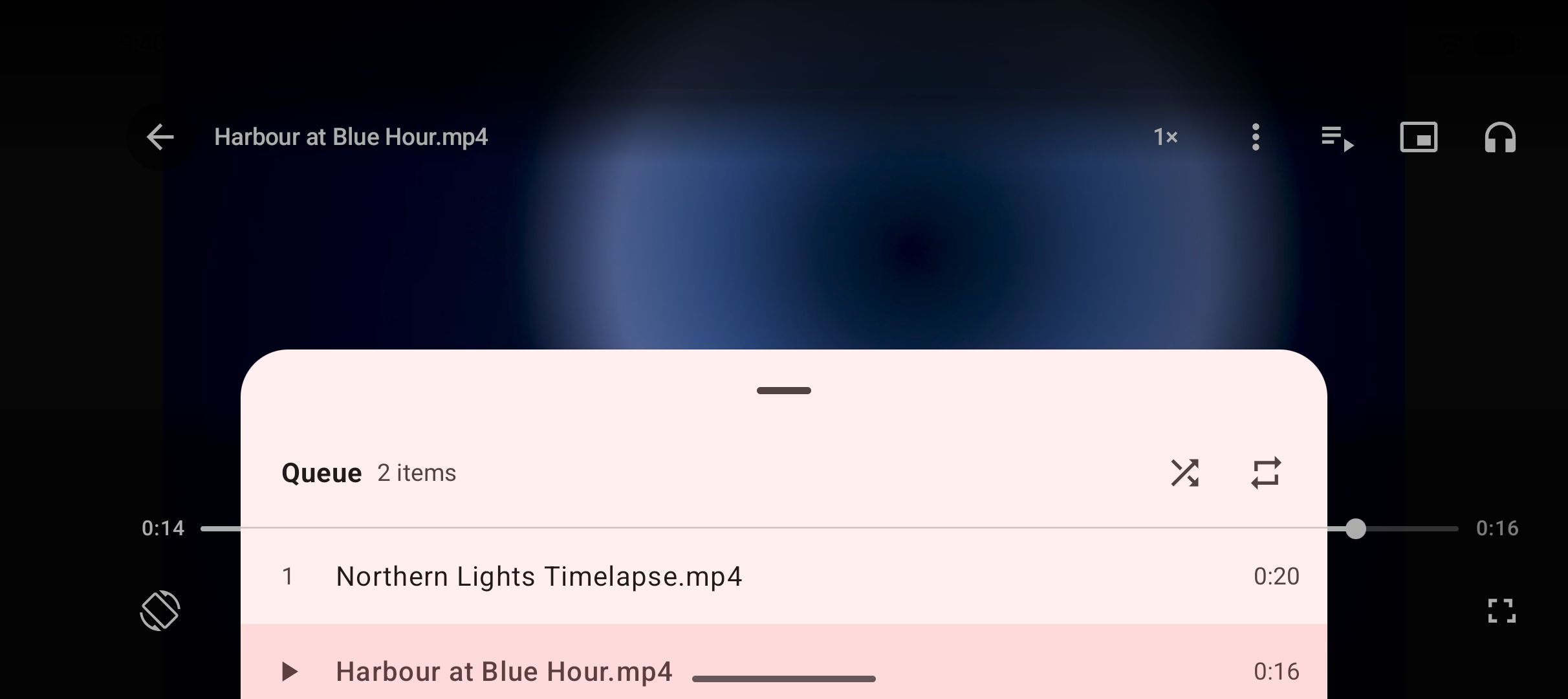
The download manager runs up to three downloads at once, shows live progress in the notification shade, and supports pause, resume, scheduled downloads and a Wi-Fi-only option. Downloads keep running in the background and survive closing the app, and interrupted downloads resume rather than start over. A playlist link is expanded and offered item by item, subtitles can be embedded, and a trim range can save just a part of a video. Finished files land in a Kite folder that gallery and file apps can see, inside a library that also gathers the phone’s existing video and music. The built-in player covers picture-in-picture, swipe gestures, playback speed, a queue, and background MP3 with lock-screen controls, and a PIN-locked Private Vault keeps chosen files encrypted, hidden from the gallery, where everything stays on this device.
Two honest limits. Kite is free and supported by ads — banners and occasional interstitials from third-party partners — and there is no paid tier that switches them off. And Kite deliberately excludes certain large video and music platforms that Google Play policy does not allow downloader apps to touch; that exclusion is part of why it can be on Google Play at all. Kite does not bypass copy protection of any kind: material protected by DRM is declined rather than downloaded.
Feature by feature
Downloading and formats
The core difference is search versus paste. Snaptube’s listing centres on typing a name and choosing per-result quality from a popup; its Add Website button stretches coverage to portals the app does not list by default, with Uptodown’s caveat that added sites are not guaranteed. Kite has no in-app search across sites: you bring a link, or you browse to the page in its built-in browser and let it sniff out the media. In exchange, Kite shows the full technical menu for each link — every available resolution with container, codec and estimated size — and layers on scheduling, playlist expansion, embedded subtitles, a trim range and the option to convert an already-saved video to MP3 later. Both apps offer a Wi-Fi-only switch; Snaptube adds a download speed limit and a folder chooser, while Kite’s files always land in its Kite folder. Both list TikTok among their covered sites — our guide to saving TikTok videos without the watermark walks through the Kite flow step by step.
Player
Snaptube’s Uptodown pages do not describe a built-in player (as of August 2026), so we record that as not stated rather than missing. Kite treats playback as half the job. Video gets picture-in-picture, swipe gestures for brightness, volume and seeking, hold-for-double-speed, ±10 second skips and a queue built from the videos saved alongside the current one. Saved MP3s keep playing with the screen off, with controls on the lock screen, in the notification shade and over Bluetooth — closer to a small media player than to a bare download list.
Privacy and accounts
Neither app asks you to create an account (as of August 2026). Beyond that, the two listings differ in how much they say. Snaptube’s Uptodown pages do not describe what data the app collects, and its monetisation is not stated. Kite publishes its position: no account, no analytics of Kite’s own and no Kite server — downloads, history and settings stay on the phone. Its ad partners do receive the device advertising ID, IP address and basic device details, and the privacy policy spells that out. For files that should not sit in the shared gallery, Kite’s Private Vault keeps them encrypted behind a PIN and hidden from the gallery, and everything in the vault stays on this device.
Ads and price
Snaptube is listed as free with a proprietary licence, and Uptodown does not state how the app is monetised (as of August 2026) — so this article cannot describe its ad experience without guessing, and it will not guess. Kite states its model plainly: free, supported by banner ads and occasional interstitials from third-party partners, with no subscription and nothing paywalled. Neither app charges money for downloading itself.
Distribution and updates
This is the biggest practical difference. Snaptube is distributed as an APK through third-party stores such as Uptodown rather than through Google Play (as of August 2026). In practice that means allowing installs from outside Play on your phone, and fetching each new APK yourself when a release appears — the build on Uptodown, 7.63.0.76330710, is dated 23 July 2026, so updates do exist, but delivering each one to your phone is manual. Kite is on Google Play, so the install is ordinary and updates arrive through the store like every other Play app. One genuine point for Snaptube here: it runs on Android 5.0 and newer, while Kite needs Android 7.0, so an older phone that cannot take Kite may still run Snaptube.
Which should you use
Pick Snaptube if the search-first flow matches how you like to work, if your phone is stuck on Android 5 or 6, or — the decisive case — if what you save mostly lives on certain large video and music platforms that Google Play policy does not allow downloader apps to touch. Kite deliberately excludes those platforms, so for that use Kite is simply the wrong choice, and Snaptube’s advertised coverage is the fact that matters.
Pick Kite if you want the install and every update handled by Google Play, if your sources are TikTok, Instagram, X, Reddit and the long tail of a thousand or so sites yt-dlp recognises, or if the after-download experience matters to you: the player, background MP3 and the Private Vault are all things Snaptube’s listing does not describe. Kite’s trade-offs are known and stated — ads, and the deliberate platform exclusions above.
If neither quite fits, we keep two wider pieces: a round-up of Snaptube alternatives that compares more replacements in one place, and a guide to the best video downloader apps for Android that looks at the whole field. Whichever downloader you land on, the same rule applies: it is a tool for personal use. Save only content you own or have permission to save, respect the terms of the sites you visit, and respect the rights of the people who made what you are watching.