InsTube and Kite: Video Downloader are both free Android apps that save video and audio from a link, and on paper they overlap more than most pairs in this space: each extracts MP3s, each bundles its own player, and each offers a private space for hiding saved files. The short verdict: InsTube fits people who are comfortable installing an APK by hand and who want extras such as image downloads; Kite fits people who want a downloader that installs and updates through Google Play, states plainly that its vault is encrypted, and claims a much longer site list.
Kite is our app, so read the verdicts here as our honest, sourced case rather than a neutral review. Every InsTube claim in this article comes from its own site, checked in August 2026, and the exact pages are listed in the sources at the end. Where InsTube’s page is silent on something, we write “not stated” rather than guessing.
The most interesting matchup is privacy. Of all the sideloaded downloaders in our Android downloader roundup, InsTube is the one that advertises a private space of its own, called Video Lock. Kite has the Private Vault. The two sound alike but are not documented alike, so this comparison spends real time on them.
At a glance
| InsTube | Kite: Video Downloader | |
|---|---|---|
| Distribution | APK from instube.com or its Uptodown mirror; MI GetApps or the OPPO App Store on some phones; not on Google Play | Google Play |
| Price model | Free per its site; how it is funded is not stated on its homepage | Free with ads |
| Minimum Android | Not stated on its site | 7.0 |
| MP3 extraction | Yes: MP3 and M4A listed | Yes |
| Built-in browser or site search | Site bookmarks and copy-link detection (per its site) | Yes, media-sniffing browser |
| Player | Built-in video and music player (per its site) | Yes: PiP, gestures, queue, background MP3 |
| Private vault | Video Lock private space (per its site) | Yes, PIN-locked and encrypted |
| Account required | No login needed, per its site | No account |
| DRM stance | Not stated on its site | Declines DRM-protected material |
What InsTube does
InsTube is a free video downloader distributed outside Google Play. As of August 2026 its site offers the app as a direct APK download from instube.com, lists an Uptodown mirror, and on some phones directs users to search for “InsTube” inside MI GetApps or the OPPO App Store. The homepage shows version 2.6.6 as the current download and states that downloads work without login. How the app is funded is not stated on the homepage.
Its feature list is broad. The site claims downloads of video and music from more than 100 sites, with resolutions listed as 360p, 720p and 1080p “and more”, and marketing that promises 4K. Supported file formats are MP3, MP4, 3GP, M4A, JPG and PNG — the last two matter, because they make InsTube an image downloader as well as a video one. Around the downloader sit site bookmarks for adding sources, copy-link detection, batch downloads, a built-in video and music player, and Video Lock, described as a private space to hide videos, music and pictures. The site also advertises “10X faster” downloads; that is its own marketing claim, we have not measured it, and Kite makes no speed claims at all.
On coverage, InsTube’s site names Facebook, X (formerly Twitter), WhatsApp, Vimeo and Dailymotion, plus a long tail of regional and niche sites, and it advertises coverage of certain large video and music platforms that Google Play policy does not allow downloader apps to touch. That last group is the clearest dividing line between these two apps, and it is a big part of why InsTube distributes as an APK while Kite sits on Google Play.
What Kite: Video Downloader does
Kite is a native Android downloader on Google Play, for Android 7.0 and newer, with no account or sign-up. Paste a link and Kite works out what is on the page: it lists every resolution the source offers, from SD up to 4K, with container, codec and estimated size, or pulls the audio out as an MP3 with title and artist metadata embedded. It can also convert a video you have already saved into an MP3. A built-in browser spots playable media on pages and offers to save it, and a playlist link is expanded and offered item by item.
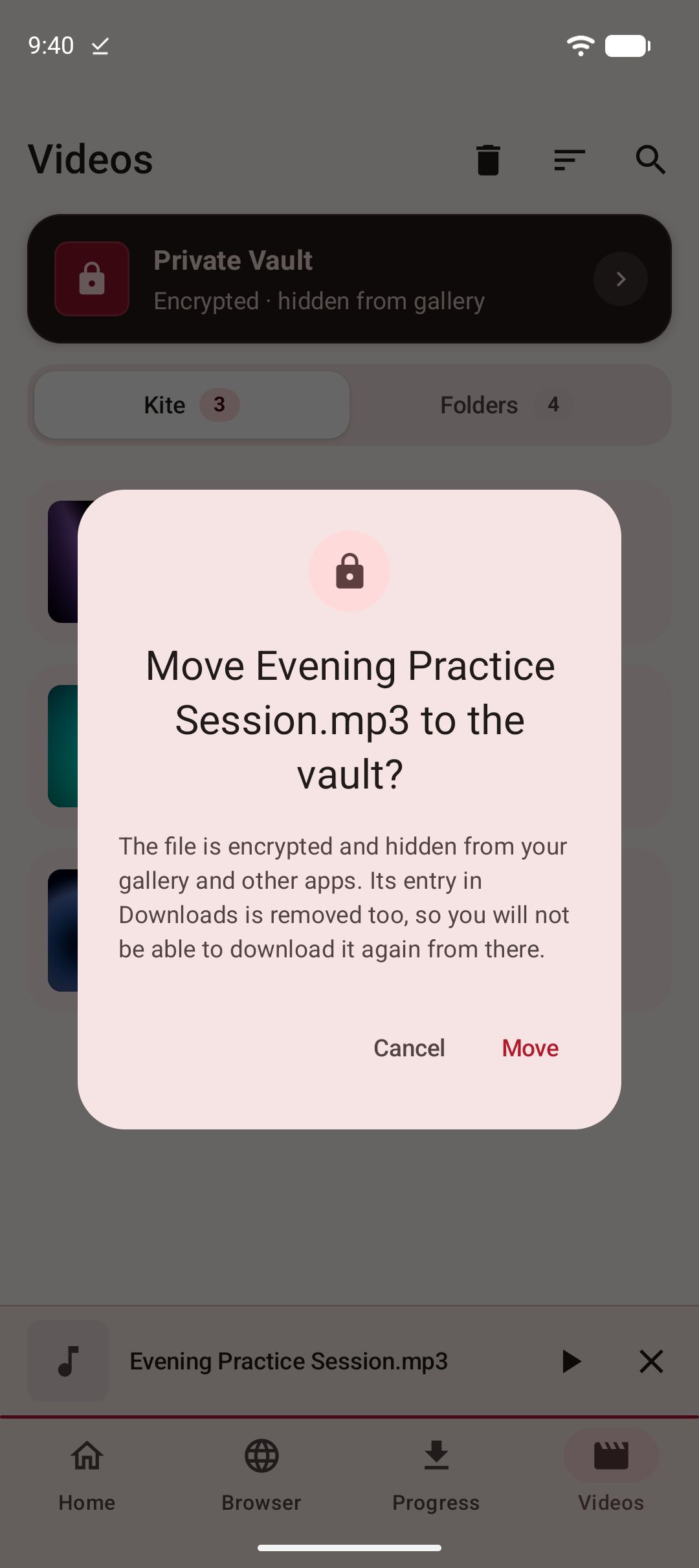
The download manager runs up to three downloads at once with live speed and ETA in the notification shade, pause, resume and cancel, a Wi-Fi-only option, scheduled downloads, and a trim range for saving part of a video. Downloads keep running in the background, survive closing the app, and resume after an interruption. The library groups everything saved — plus the phone’s existing video and music — by folder, searchable. The player covers swipe gestures for brightness, volume and seeking, hold for double speed, ten-second skips, picture-in-picture and a queue, and saved MP3s keep playing with the screen off, with controls on the lock screen. The Private Vault is PIN-locked, its files are encrypted and hidden from the gallery, and everything stays on this device.
Two honest negatives. Kite is supported by ads — banner and occasional interstitial via third-party partners — with no subscription and no paid tier to switch them off. And its coverage has a deliberate hole: certain large video and music platforms that Google Play policy does not allow downloader apps to touch; Kite deliberately excludes them. Kite does not bypass copy protection of any kind: material protected by DRM is declined rather than downloaded.
Feature by feature
Downloading and formats
Both apps are paste-a-link downloaders with MP3 output, and both claim Facebook, Vimeo and X among their sites — if Facebook is your main use, our Facebook download guide walks through it step by step. From there the lists diverge. InsTube’s site claims more than 100 sites and adds JPG and PNG image downloads, which Kite does not offer. Kite’s engine is yt-dlp running entirely on the phone, and it recognises media pages from TikTok, Instagram, X, Reddit, Facebook, Vimeo, Twitch and Pinterest, plus a thousand or so other sites. Treat both numbers as what they are: each app’s own claim, not an audited figure. On management, Kite documents pause and resume, scheduling, a Wi-Fi-only option, subtitle embedding and a trim range; InsTube’s site lists batch downloads and copy-link detection but does not go into that level of detail.
Player
InsTube’s site says the app includes a built-in video and music player, and leaves it at that — no detail on gestures, background audio or floating playback. Kite’s player is documented feature by feature: swipe gestures for brightness, volume and seeking, hold for double speed, ten-second skips either way, picture-in-picture, and a queue built from the videos saved alongside the one playing. For audio, saved MP3s keep playing with the screen off, with controls on the lock screen, in the notification shade and on Bluetooth devices. If you plan to watch and listen inside the downloader rather than hand files to another app, this is the clearest documented gap between the two.
Privacy and accounts
Neither app asks for an account: InsTube’s site says downloads work without login, and Kite has no sign-up at all. The private spaces are the interesting part. InsTube’s Video Lock is described on its site as a private space to hide videos, music and pictures. Whether Video Lock encrypts the files it hides, its page simply does not say — hiding and encrypting are different protections, and we can only report what the page states. Kite’s Private Vault is PIN-locked, its files are encrypted as well as hidden from the gallery, and everything in it stays on this device. Beyond the vault, Kite runs no analytics of its own and has no server of its own; downloads, history and settings stay on the phone, while its ad partners receive the device advertising ID, IP address and basic device details, as its privacy policy sets out.
Ads and price
Both apps are free, and neither charges money as of August 2026. InsTube’s homepage calls it a free downloader and does not state how it is funded, so we cannot tell you what living with its version of free looks like — its page does not address it. Kite’s model is stated plainly: it is supported by ads, banner and occasional interstitial, served via third-party partners, and there is no subscription. The difference is not the price; it is that one model is disclosed on its own page and the other is not described.
Distribution and updates
This is the practical dividing line. InsTube is installed by downloading an APK from instube.com or the third-party stores its site points to, not from Google Play. Sideloading means allowing installs from your browser and passing Android’s install checks, and updating means fetching each new APK yourself when you learn one exists. The homepage lists version 2.6.6 with no release date shown, so the page itself does not tell you when the app last changed. Kite installs from Google Play, updates through the store like every other app on the phone, and needs Android 7.0 or newer. If you are weighing several sideloaded downloaders against Play-installed options, our guide to Snaptube alternatives covers that wider field.
Which should you use
Pick InsTube if its extras match your needs. The clearest case: if most of what you want to save lives on certain large video and music platforms that Google Play policy does not allow downloader apps to touch, Kite is the wrong choice — Kite deliberately excludes them, and InsTube’s advertised coverage of them is the relevant fact. InsTube is also the pick if you want image downloads alongside video, since JPG and PNG are on its format list and not on Kite’s, or if your phone’s own store carries it and you prefer that to fetching APKs.
Pick Kite if you want the Play install and update path, a vault whose encryption is stated rather than left open, and the longer claimed site list — a thousand or so sites against more than 100. Kite also documents the details InsTube’s page does not: scheduling, Wi-Fi-only downloads, subtitle embedding, a trim range, and a player with gestures, picture-in-picture and background MP3. The trade-off you accept is ads, and the deliberate platform exclusions above.
There is no single winner here; the honest answer is which app fits which person. Whichever you pick, treat a downloader as a tool for personal use: save only content you own or have permission to save, respect the terms of the sites you visit, and respect the rights of the people who made what you are watching.